

Emissions in the left sidebar and open Fleet Emissions. Fleet data rolls into portfolio Scope 1 totals on Emissions overview and Benchmarking. For the accounting model, see GHG scopes.
Navigate to Fleet Emissions
ClickEmissions > Fleet Emissions in the portfolio left sidebar.
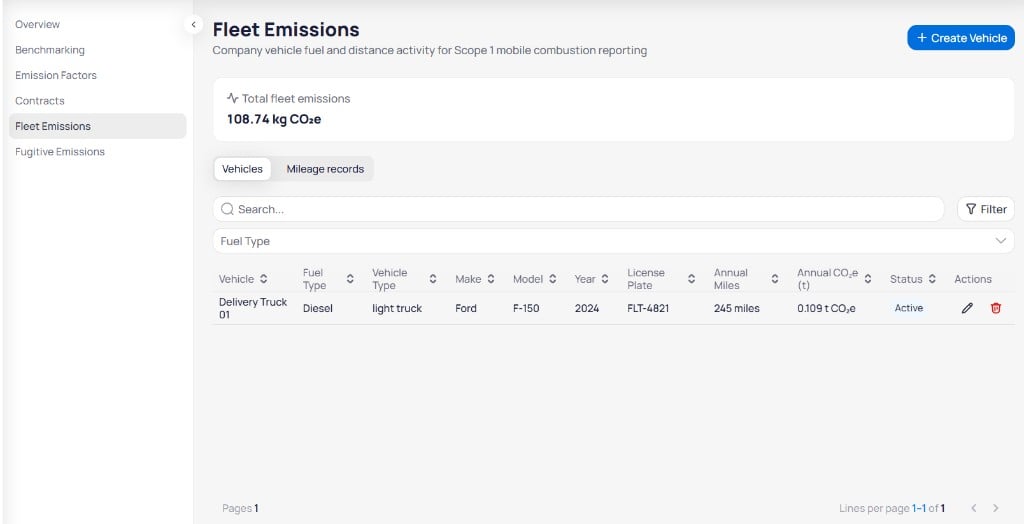
Fleet Emissions page with total emissions summary, Vehicles tab, and fleet table
Define each asset on Vehicles first, then log activity on Mileage records. For the vehicle and mileage record fields, see fleet fields.
Create a vehicle
On the Vehicles tab, click+ Create Vehicle to open the Create Vehicle panel on the right. The panel subtitle reads Add a vehicle to your fleet.
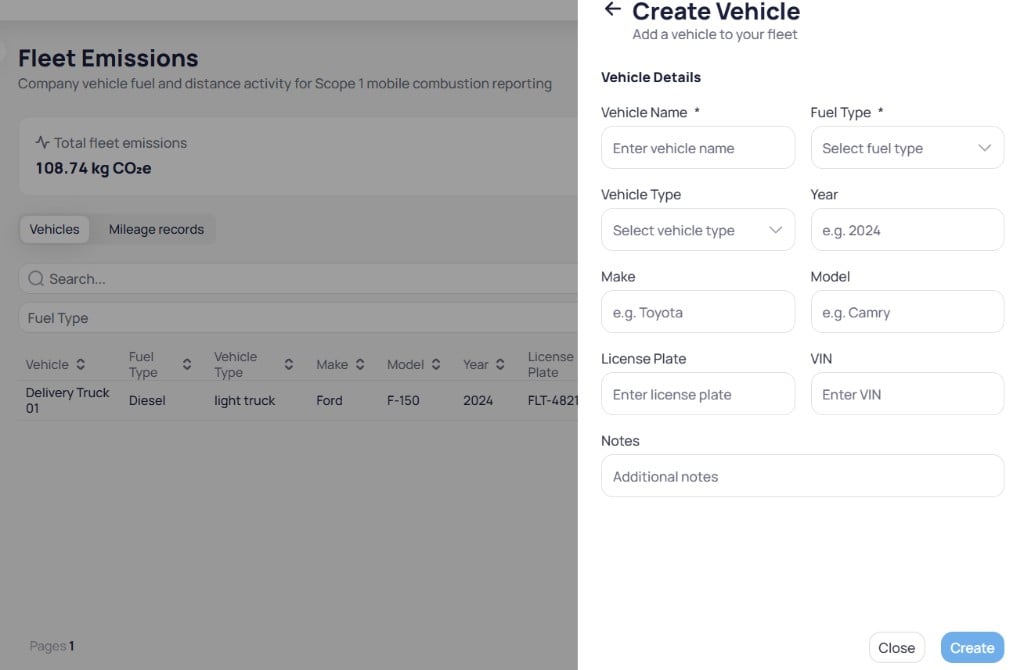
Create Vehicle panel with Vehicle Details fields
1
Enter vehicle details
Fill in Vehicle Name and Fuel Type. Add Vehicle Type, Year, Make, Model, License Plate, and VIN when you have them.
2
Add notes
Enter optional Notes for fleet managers or auditors.
3
Create the vehicle
Click
Create to save the vehicle. Click Close to exit without saving.Mileage records tab
Open the Mileage records tab to review logged trips and fuel use.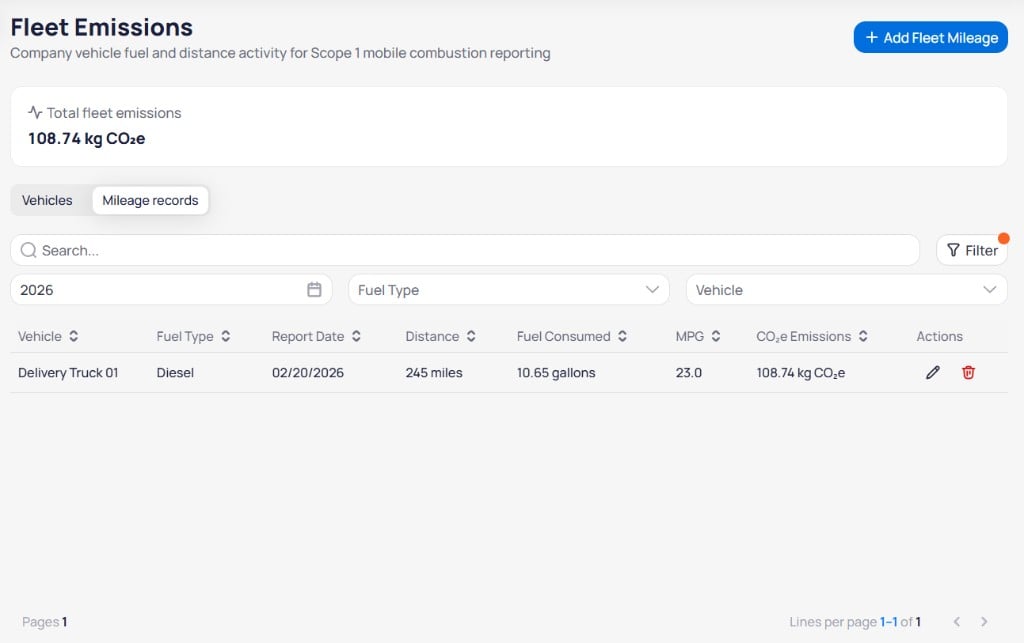
Mileage records tab with year, fuel type, and vehicle filters and mileage table
Add a fleet mileage record
Click+ Add Fleet Mileage to open the Add Fleet Mileage Record panel on the right. The panel subtitle reads Record mileage and fuel for Scope 1 fleet emissions.
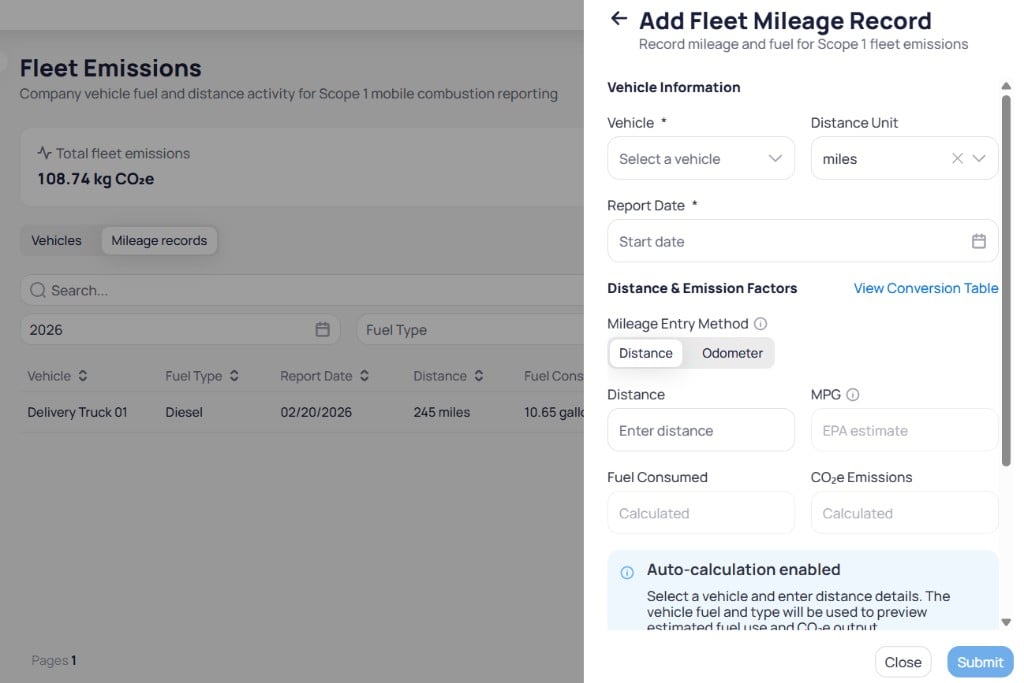
Add Fleet Mileage Record panel with vehicle information, distance fields, and documentation
Auto-calculation enabled. Select a vehicle and enter distance details. EnerG uses the vehicle Fuel Type and Vehicle Type to preview estimated fuel use and CO₂e output before you submit.
1
Select vehicle and date
Choose Vehicle and Report Date. Set Distance Unit when you report in a unit other than the default.
2
Enter distance or odometer
Select Distance or Odometer under Mileage Entry Method. Enter Distance and adjust MPG when you have a measured or EPA value. Click View Conversion Table for unit or factor references.
3
Review calculated values
Confirm Fuel Consumed and CO₂e Emissions match your expectations before you submit.
4
Add documentation and submit
Enter Data Source, Document URL, and Notes when you have audit evidence. Click
Submit to save the record. Click Close to exit without saving.Next steps
Emissions accounting
Understand how fleet activity maps to Scope 1.
Emissions reference
Look up the full vehicle and mileage fields.
Emissions overview
Review Scope 1 rollups that include fleet emissions.
Emissions benchmarking
Compare building emissions alongside fleet totals.
Fugitive emissions
Track refrigerant loss for Scope 1 fugitive reporting.
Report Builder
Export fleet and emissions data for compliance reporting.