

Open Certifications
1
Select a building
From Portfolio Home, open a building in the building view.
2
Open Certifications
Click Certifications in the left sidebar.
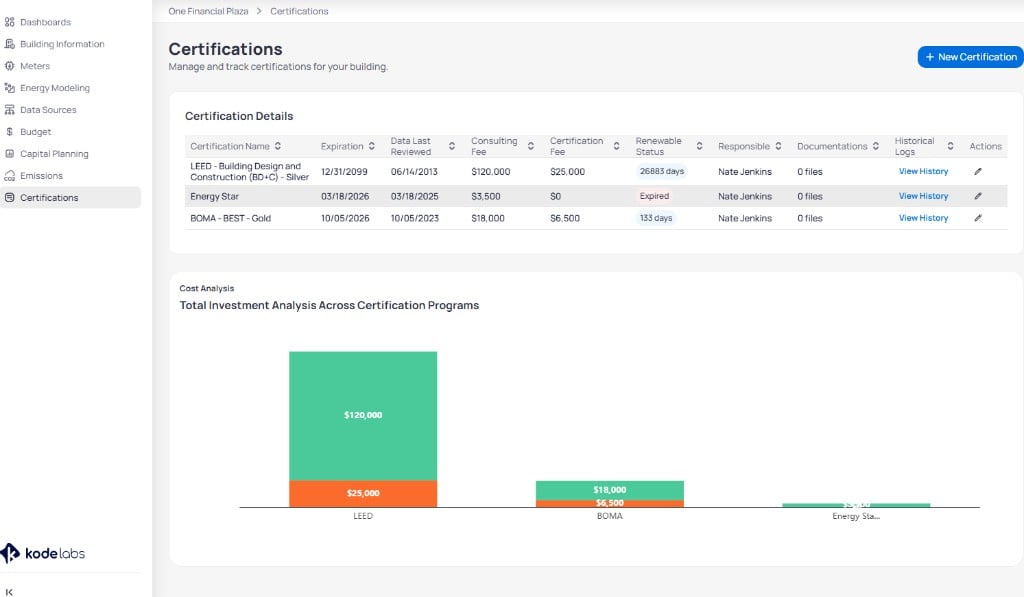
Certifications page with detail table and cost analysis chart
Certification Details table
The Certification Details table lists every certification for the building. Use the download control to export the certification list to a spreadsheet.Cost analysis
Total Investment Analysis Across Certification Programs summarizes consulting and certification fees in a stacked bar chart.
Compare programs such as LEED, BOMA, and Energy Star to plan renewal budgets. Portfolio rollups use the same structure on Portfolio certifications.
Add a certification
Click + New Certification to open Add Existing Certification.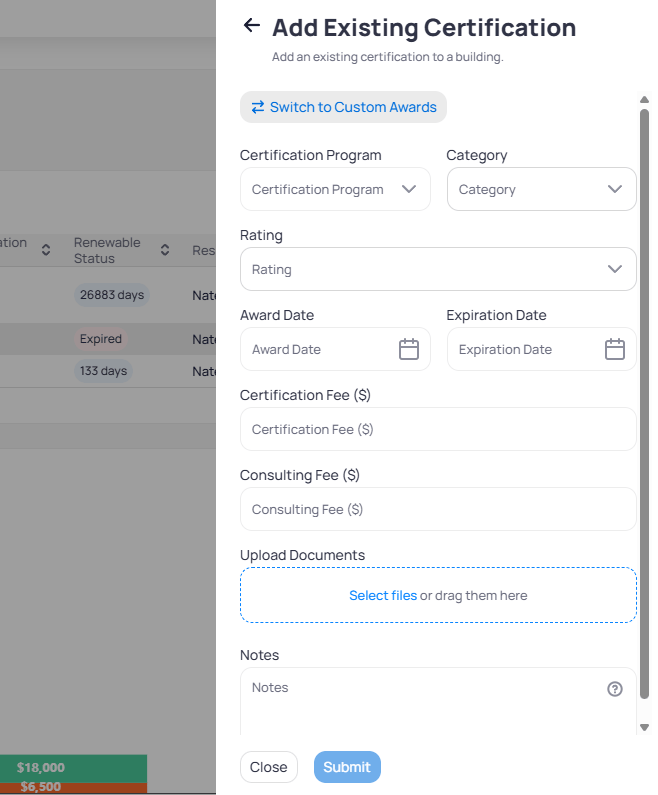
Add Existing Certification panel
1
Open the add panel
Click + New Certification. Toggle Switch to Custom Awards when the program is not in the standard list.
2
Select program and rating
Choose Certification Program, Category, and Rating from the cascading dropdowns.
3
Enter dates, fees, and scores
Set Award Date and Expiration Date. Enter Certification Fee and Consulting Fee when you track spend. Enter the program Score when you track ENERGY STAR, LEED, or other scored programs. When the building is linked to Portfolio Manager, pulled scores can populate this field and optional write-back can update Portfolio Manager.
4
Upload evidence and add notes
Add PDF certificates or supporting files in Upload Documents. Enter points or compliance references in Notes.
Verify the uploaded file matches the award name and rating on the certificate.
5
Submit
Click Submit. The row appears in Certification Details and updates the cost chart.
Edit a certification
Click the edit icon in Actions to open Edit Certification.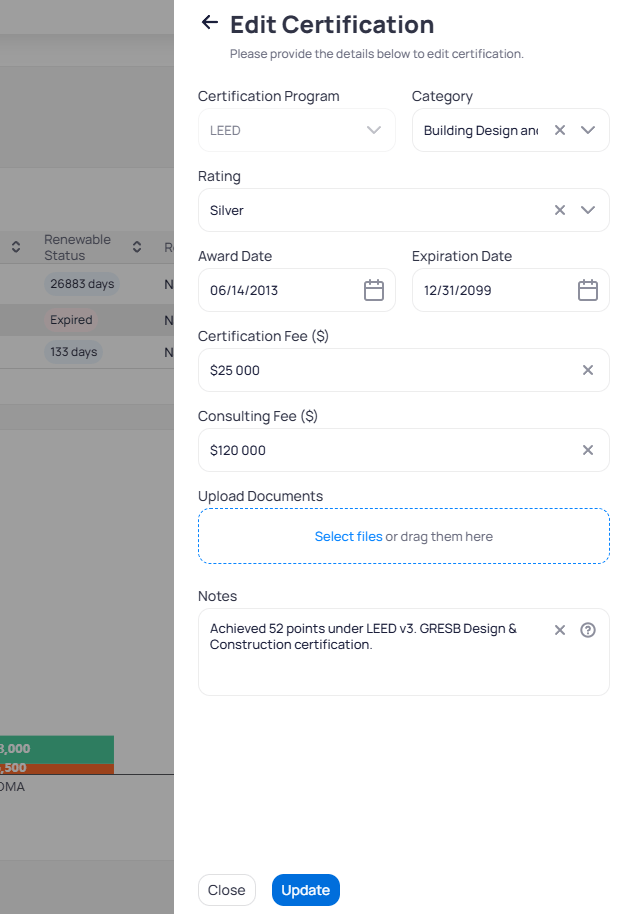
Edit Certification panel with LEED Silver example
Monitor expiration
Watch Renewable Status for day counts that approach zero. Past dates show Expired until you renew the certification and update dates or upload a new certificate.Next steps
Portfolio certifications
Review certification coverage and investment charts across the portfolio.
Building information
Confirm building attributes that support certification narratives.
Capital planning
Connect improvement measures to certification goals.
Portfolio targets
Align reduction targets with certified commitments.