

Emissions in the left sidebar and open Emission Factors to create, publish, and edit factor sets. For how factors convert activity into carbon, see Emission factors.
Navigate to Emission Factors
ClickEmissions > Emission Factors in the portfolio left sidebar.
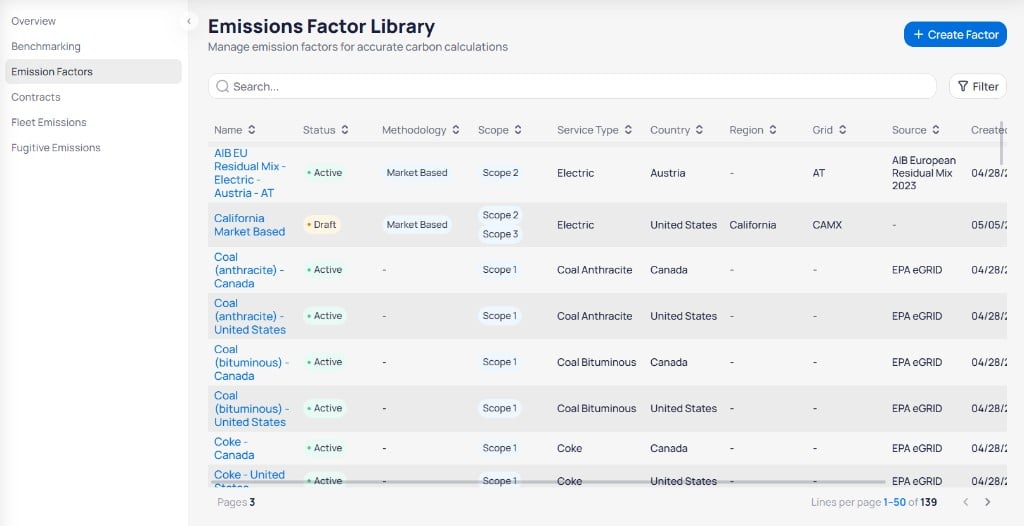
Emissions Factor Library with search, filters, and the factors table
+ Create Factor to open the Create Factor Set panel. Review the library table to check existing factors before you add or edit entries. For the column definitions in this table, see emission factor fields.
Search and filter factors
Use Search to find factors by name. ClickFilter to show additional filters.

Emission factor filters for Status, Service Type, Country, Methodology, and effective date range
Use pagination at the bottom to move through large libraries (for example,
1–50 of 139).
Publish or edit a factor
Each factor row includes actions on the right side of the table.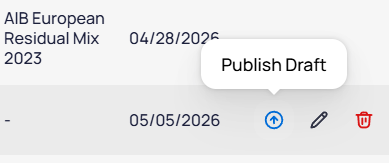
Publish Draft action on a draft emission factor row
California Market Based) before you rely on them in emissions reports.
Create a factor set
Click+ Create Factor to open the Create Factor Set panel on the right.
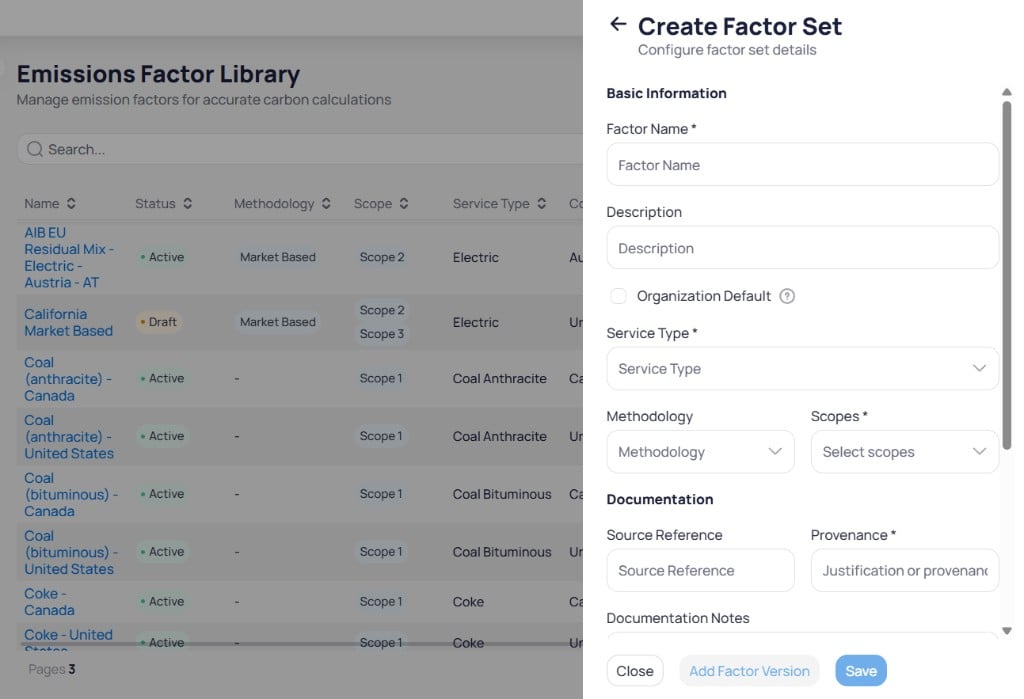
Create Factor Set panel with Basic Information and Documentation sections
1
Enter basic information
Fill in Factor Name, Service Type, and Scopes (for example, ). Add Description, Methodology, and Organization Default when needed.
2
Add documentation
Enter Provenance and optional Source Reference and Documentation Notes.
3
Configure geography or buildings
Choose Apply to Building or Apply geography wise. When you apply geography wise, set Country, then Region and Grid Code, which activate after you select a country.
4
Save the factor set
Click
Add Factor Version to add a version before you save, or click Save to store the factor set. Click Close to exit without saving.Factors in
Draft status do not affect production calculations until you activate them. Review draft entries before you rely on them in Emissions overview or Benchmarking.Next steps
Emissions accounting
Understand how factors convert activity into carbon.
Emissions reference
Look up the full emission factor field list.
Emissions overview
See how factors roll up in portfolio emissions charts.
Volume contracts
Manage REC and volume-based emission contracts.
Fleet emissions
Manage vehicles and mileage for Scope 1 mobile combustion.
Fugitive emissions
Track refrigerant loss for Scope 1 fugitive reporting.