

Open Budget Planning
1
Select a building
From Portfolio Home, open a building in the building view.
2
Open Planning
In the left sidebar, expand Budget, then click Planning.
Manage budgets
The Budget Planning list shows every budget you created for the building. Click + Create New Budget to start the six-step wizard. Use Actions on a row to edit or delete a budget.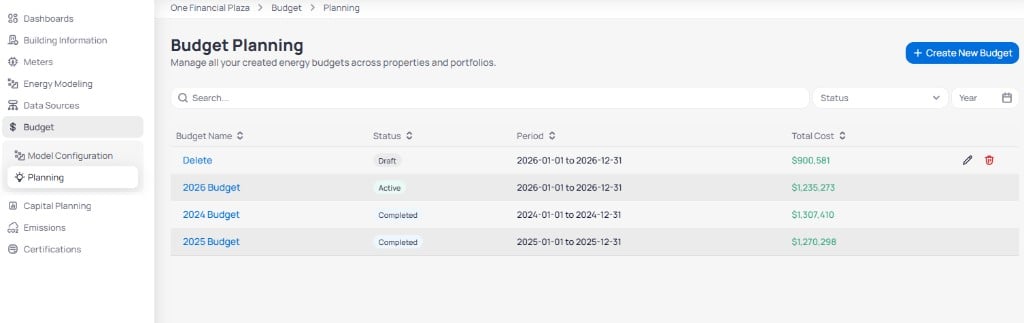
Budget Planning list with status and total cost
Only one budget should be Active for a given period when you use it for variance on Building budget overview.
Create a budget
Click + Create New Budget to open the wizard. Progress appears in the left sidebar across six steps.Step 1: Basic setup
Define the budget name, planning method, service types, and period.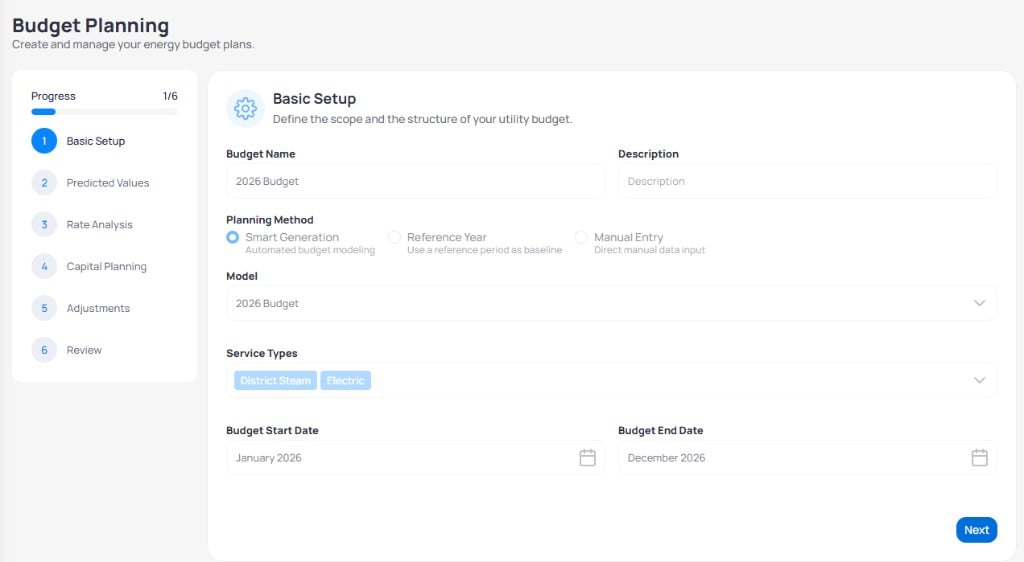
Budget Planning wizard step 1 Basic Setup
Click Next to continue.
Step 2: Predicted values
Review monthly consumption EnerG predicts from your planning method and service types.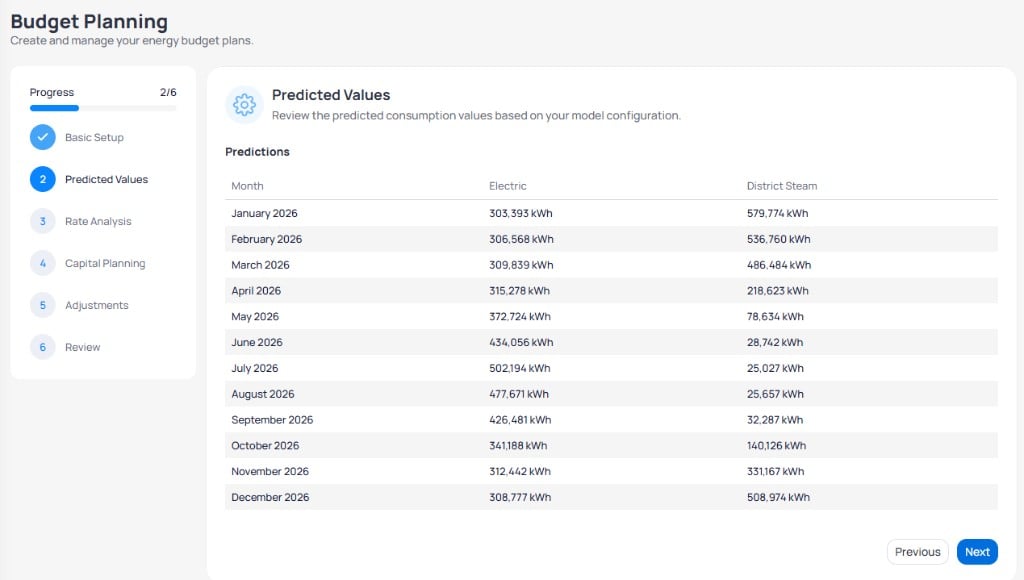
Budget Planning wizard step 2 Predicted Values
Step 3: Rate analysis
Configure rate and escalation settings per service type, then review monthly consumption and cost.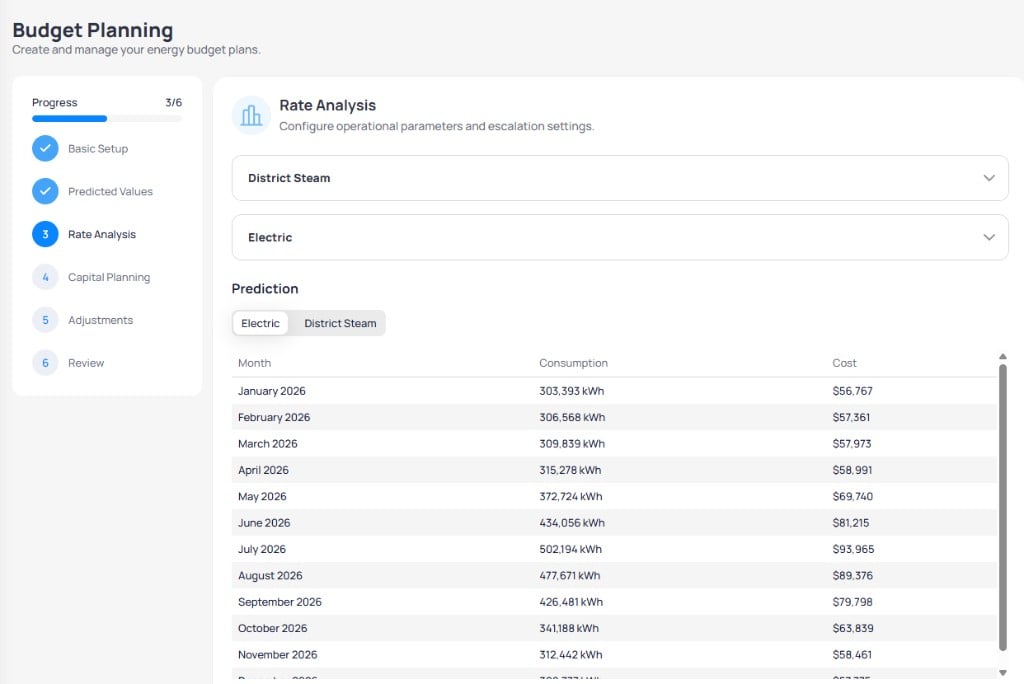
Budget Planning wizard step 3 Rate Analysis with Electric monthly cost
Step 4: Capital planning
Add capital projects so the budget reflects expected savings from conservation . For the underlying concepts, see Measures, curves, and scenarios.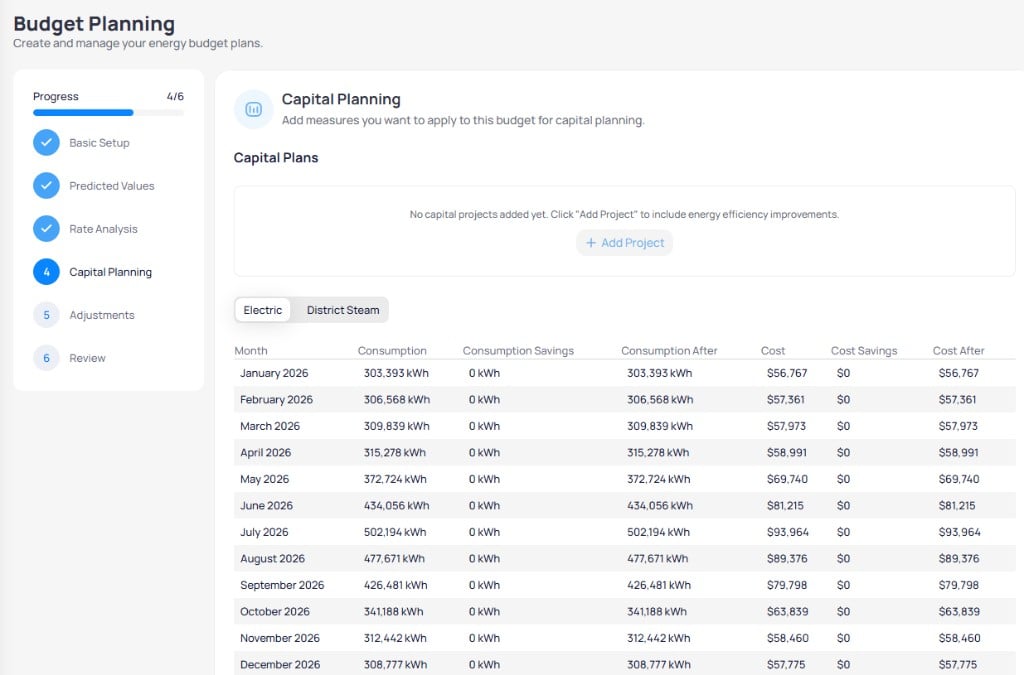
Budget Planning wizard step 4 Capital Planning with project list
Step 5: Adjustments
Add manual budget adjustments and occupant cost recovery settings.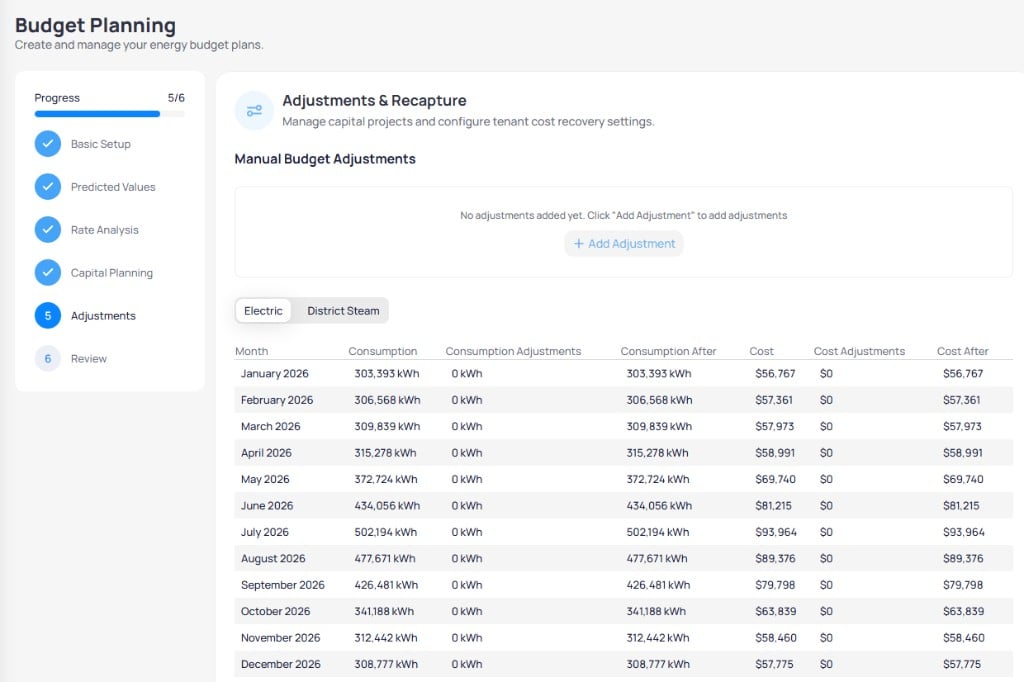
Budget Planning wizard step 5 Adjustments and Recapture
Step 6: Review and finalize
Review annual totals, emissions, meters, and a historical comparison chart before you save.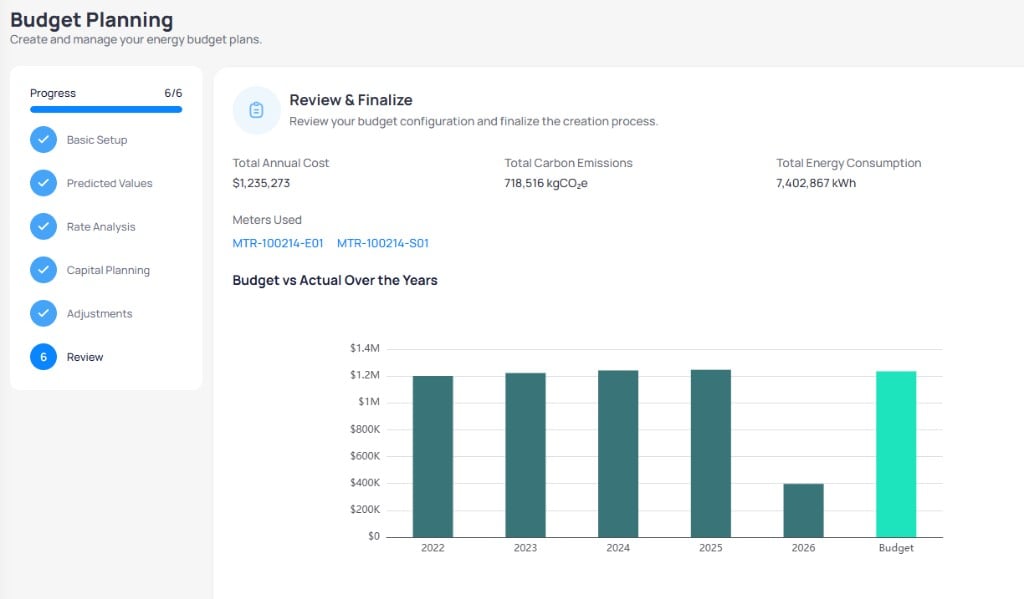
Budget Planning wizard step 6 Review and Finalize
Click Finish to save the budget. Set status to Active when the plan is ready for variance tracking.
Budget statuses
Next steps
Building budget overview
Compare actual spend to your active budget with charts and tables.
Model configuration
Configure simpler manual or Smart Generation models outside the full wizard.
Capital planning
Define measures and projects to include in step 4 of the wizard.
Utility cost analysis
Download utility statements and review cost dashboards.