

Open Bookmarks
OpenBookmarks from the building app launcher (bottom sheet) or from profile flows. The launcher also lists other modules like OSS, Work Orders, and Manual Meters when published for your site.
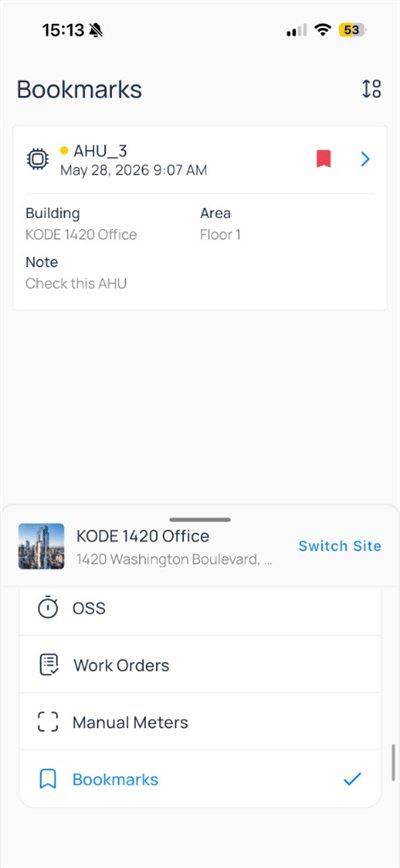
Bookmarks selected in the app launcher
sort icon in the Bookmarks header to change list order.
Bookmark list
Each card summarizes a saved item: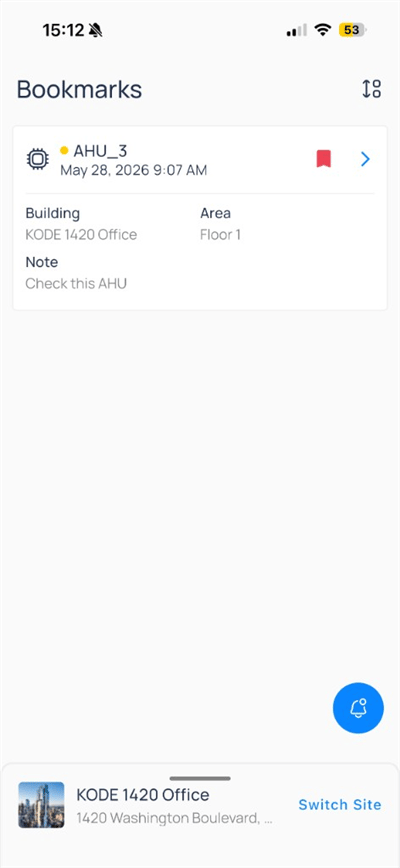
Tap a card to jump directly to that asset. Use the notification bell when your site sends bookmark-related alerts.
Create or edit a bookmark
From a device, system, or floor plan, tap the bookmark icon in the header.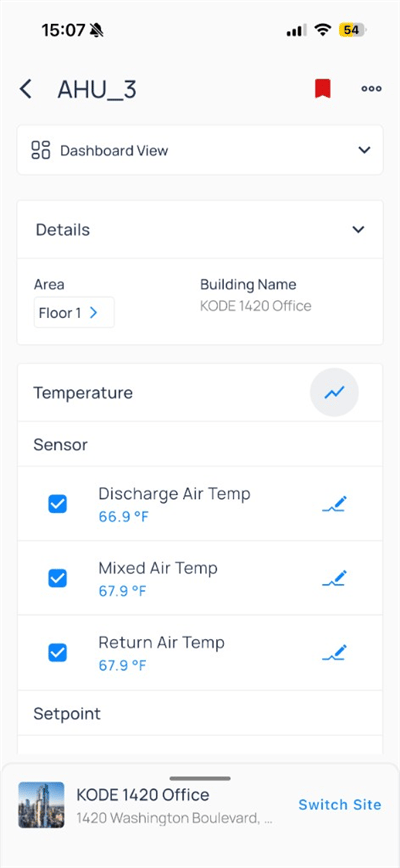
Filled bookmark on a saved device
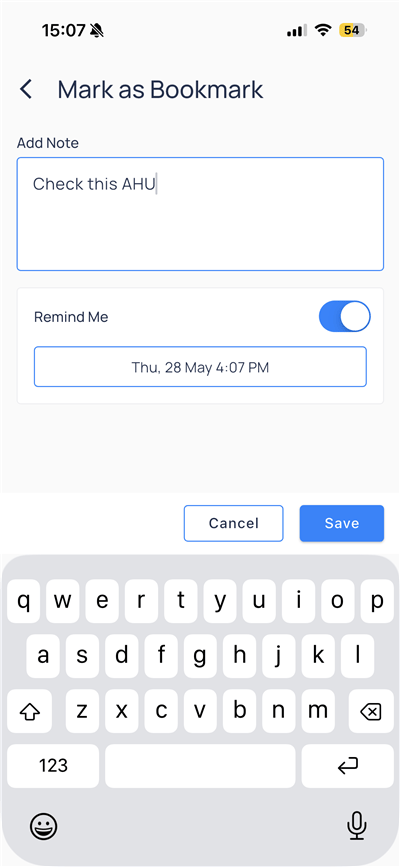
Note and reminder
After you save, the header bookmark icon appears filled (red) on the asset.
Remove a bookmark
Open the saved item and tap the filled bookmark icon to remove it, or delete from the Bookmarks list when your role allows.Compare to web
Next steps
Devices on mobile
Open equipment, trends, and device actions.
Navigate the app
Move between portfolio, site, and modules.
Customize experience
Manage profile, theme, and organizations.