

The
Manual Meters app appears in the building launcher when it is published for your site and role.Open Manual Meters
SelectManual Meters from the building app launcher. The list is scoped to the current floor or area when a filter applies (for example, FLOOR 1).
Use the header icons to:
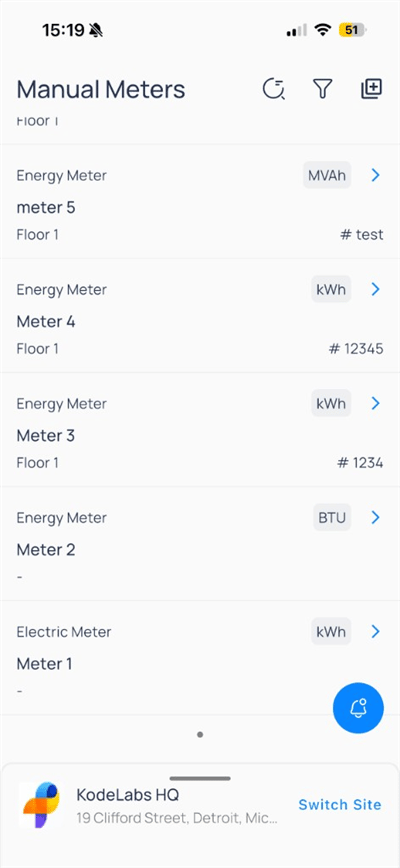
Add a meter
Tap theAdd icon in the header.
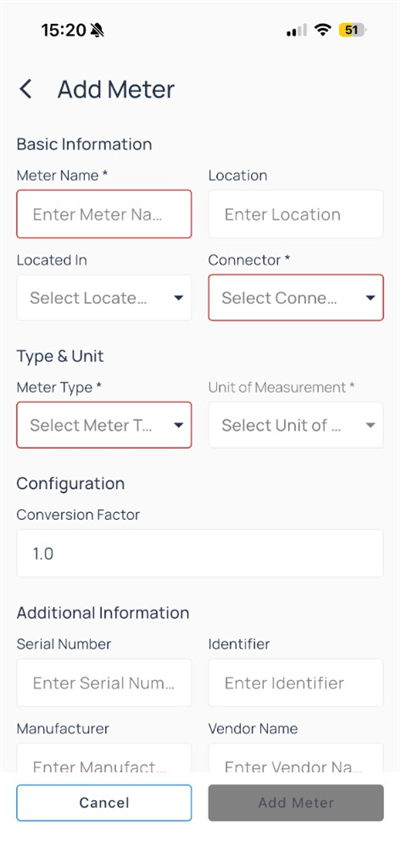
Tap
Add Meter when the form is complete. Tap Cancel to discard.
Meter detail and reading logs
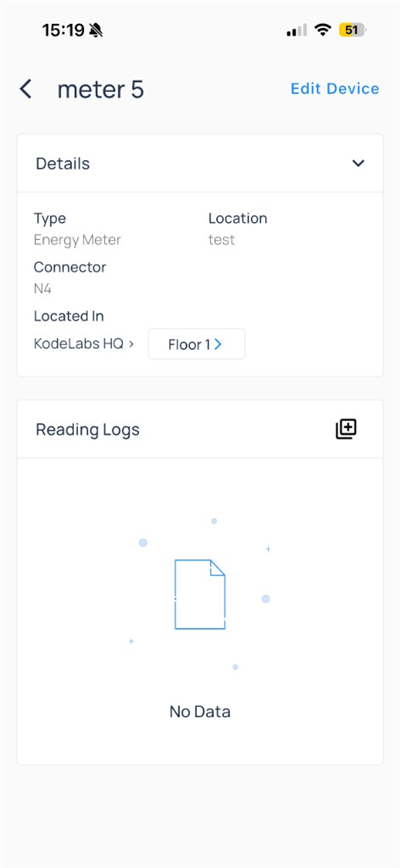
- Details
- Reading Logs
Tap
Edit Device in the header to change device metadata.Add a reading
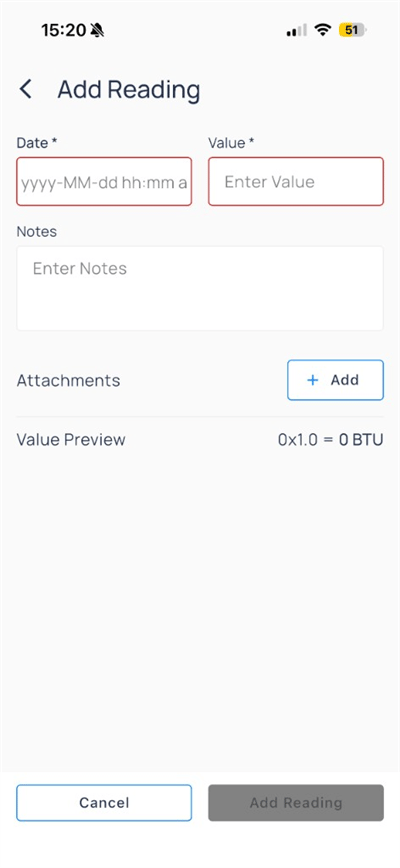
Tap
Add Reading when Date and Value are filled. The button stays disabled until required fields are valid.
Edit device metadata
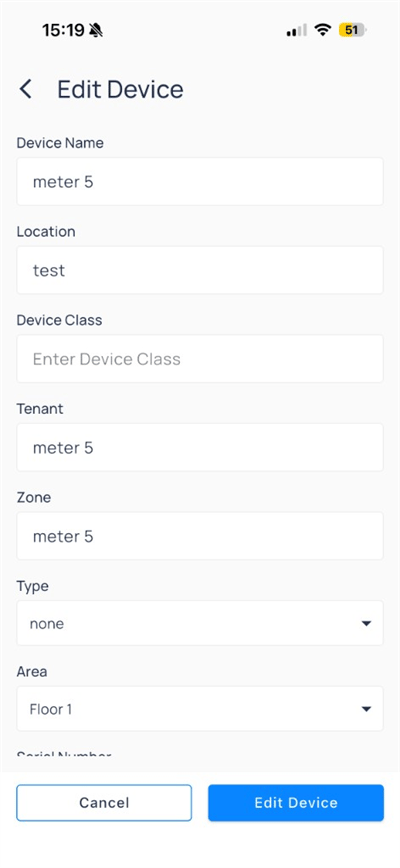
Device Name, Location, Type, Area, and other fields. Tap Edit Device to save or Cancel to discard.
Compare to web
Next steps
Devices on mobile
Open equipment, trends, and device actions.
Manual meters on web
Batch add meters and CSV upload.
Trends on mobile
Chart points and save shared views.