

Points on mobile to review health badges, filter the list, and write overrides from Points, Writable Points, or a device sensor. This page follows Points on the web.
Open Points
SelectPoints from the building app launcher.
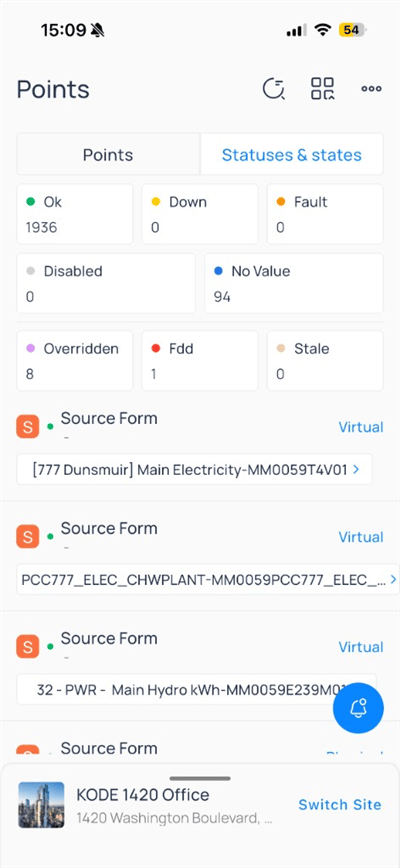
Points and Statuses & states tabs to switch between the point list and state-oriented views.
Status summary
Colored badges summarize how many points are in each state:
Tap a badge to filter the list to that status when supported.
Browse the point list
Each row shows point name, device tag (for example,AHU_1), data type icon, live value, and status dot. Writable rows show a pencil icon—tap the row or the pencil to open Write Point. See Write a point for the full override form.
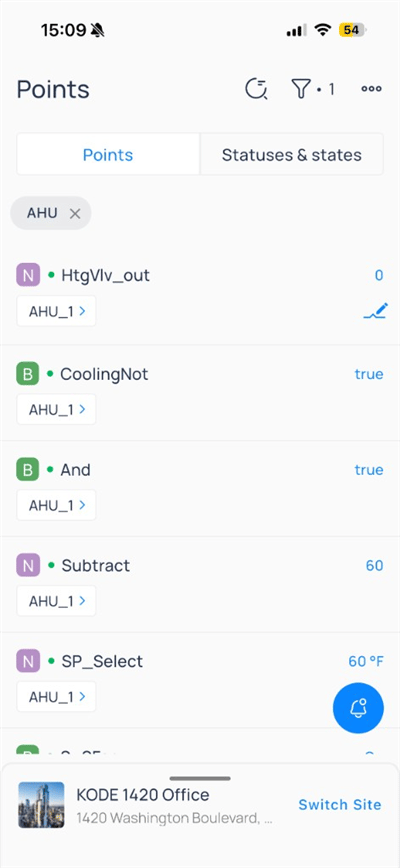
Points filtered to AHU
Header icons include search/history, filter (badge shows active filter count), and more options.
Apply point filters
Tap the filter icon to openPoint Filters.
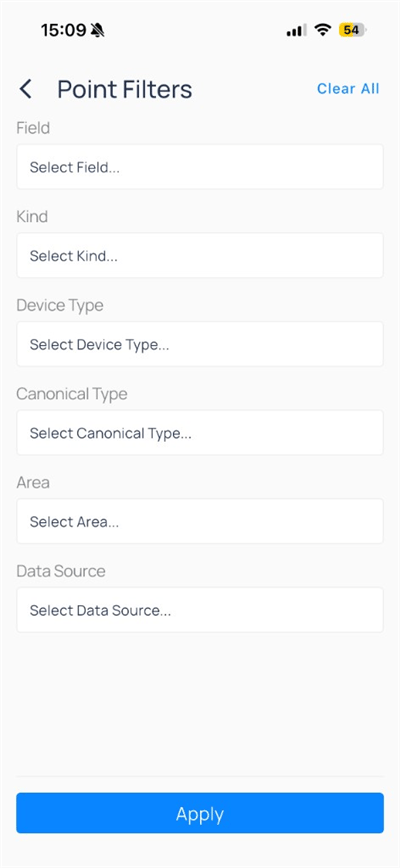
Tap
Clear All, set criteria, then Apply.
Write multiple points
Open the three-dot menu onPoints and choose Write Multiple Points to start a bulk write from the full point list.
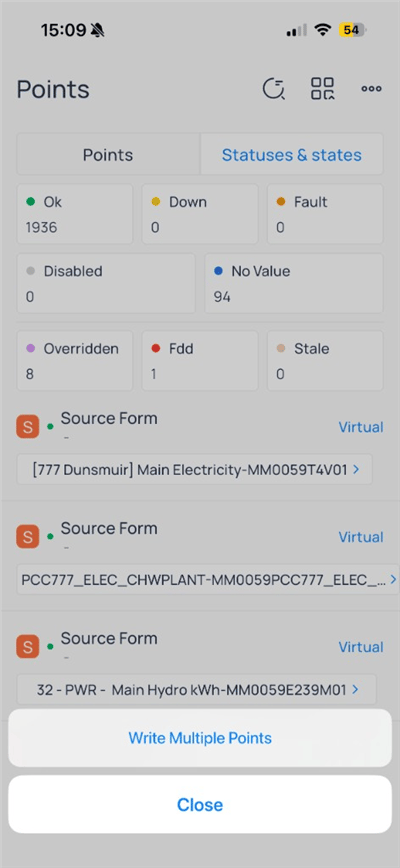
Writable Points instead (see below).
Writable points
Writable Points lists only points your role can command, often grouped by source form—a label for how the point is wired, shown as a virtual (KODE OS-computed) or physical (mapped to a real controller point) row.
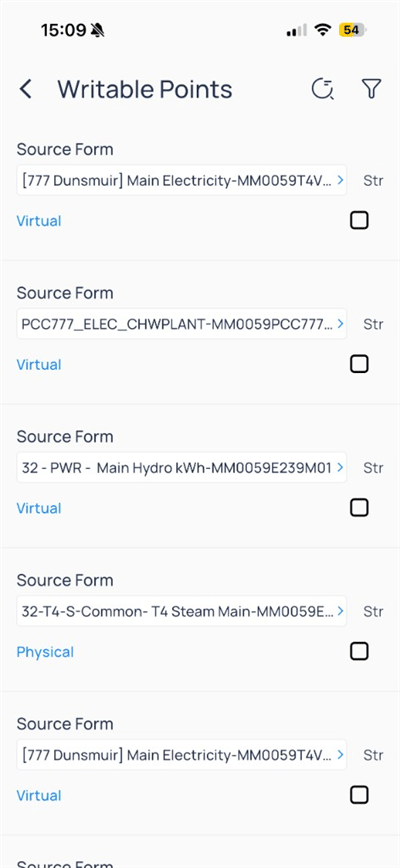
AHU), select rows, then tap Write Point on the footer bar.
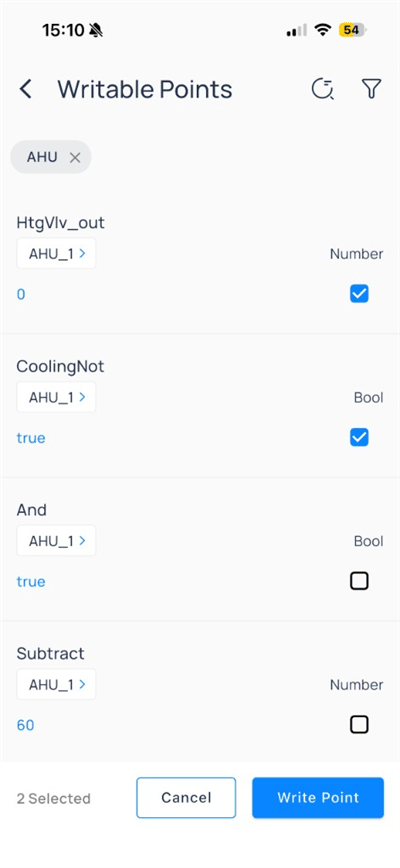
Two points selected for bulk write
This matches Commanding points on the web.
Write a point
Tap a writable row or the pencil on a device sensor to open the override form. This is the canonical write flow, whether you start from a single point row,Writable Points, or a device sensor.
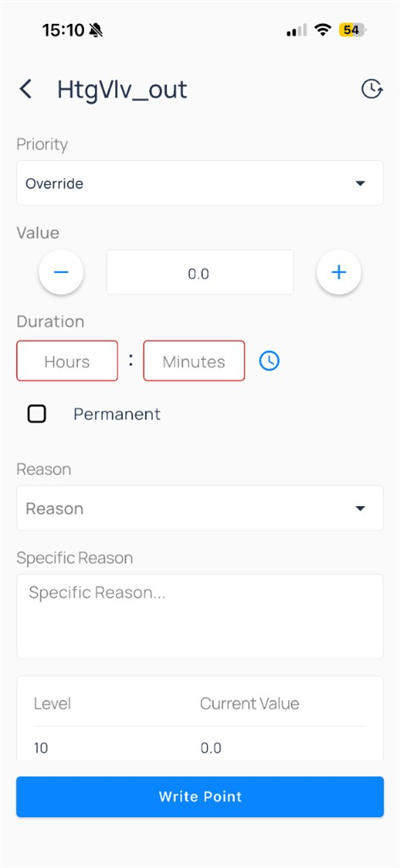
Override for HtgVlv_out
Submit with
Write Point. Use the history icon for recent commands on that point.
Compare to web
Next steps
Devices on mobile
Open equipment, trends, and device actions.
Trends on mobile
Chart points and save shared views.
Commanding points on web
Advanced commanding and mass write.