

Restrict by type
Restrict specific fields to read-only for selected work order types and roles.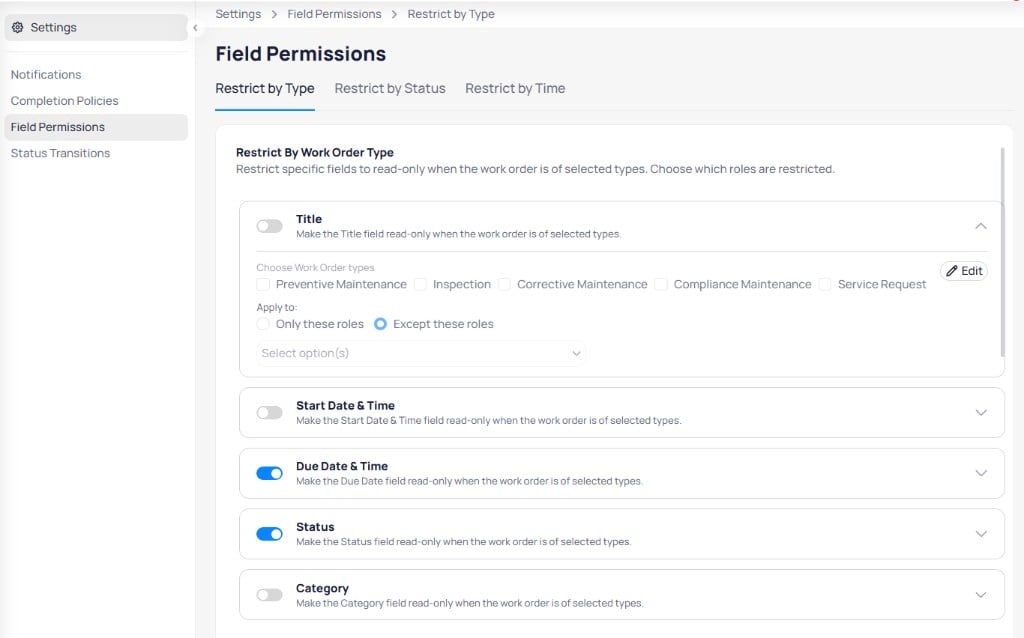
Restrict individual fields by work order type and role
- Enable the toggle to activate the restriction.
- Expand the rule and select Choose work order types.
- Choose Only these roles or Except these roles, then select roles in the dropdown.
- Select Edit to save.
Restrict by status
Lock fields when a work order reaches specific statuses.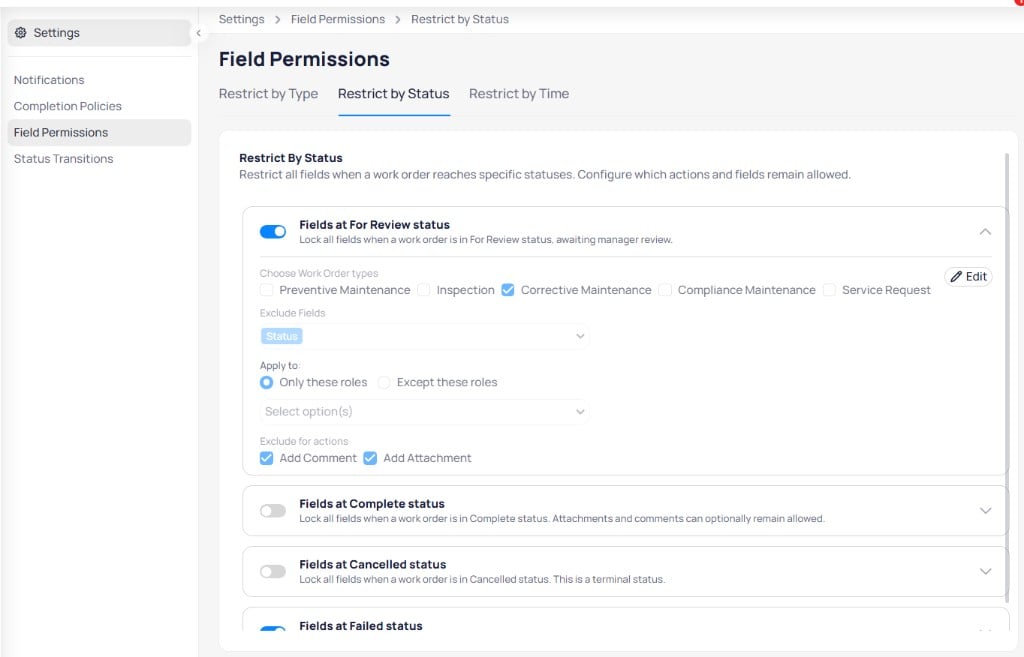
Lock fields at For Review, Complete, Cancelled, or Failed status
Expanded configuration options:
- Choose work order types — Scope the rule by program
- Exclude fields — Keep specific fields editable (for example, Status)
- Apply to — Only these roles or Except these roles
- Exclude for actions — Allow Add comment or Add attachment while fields are locked
Restrict by time
Lock the entire work order record when a date condition is met.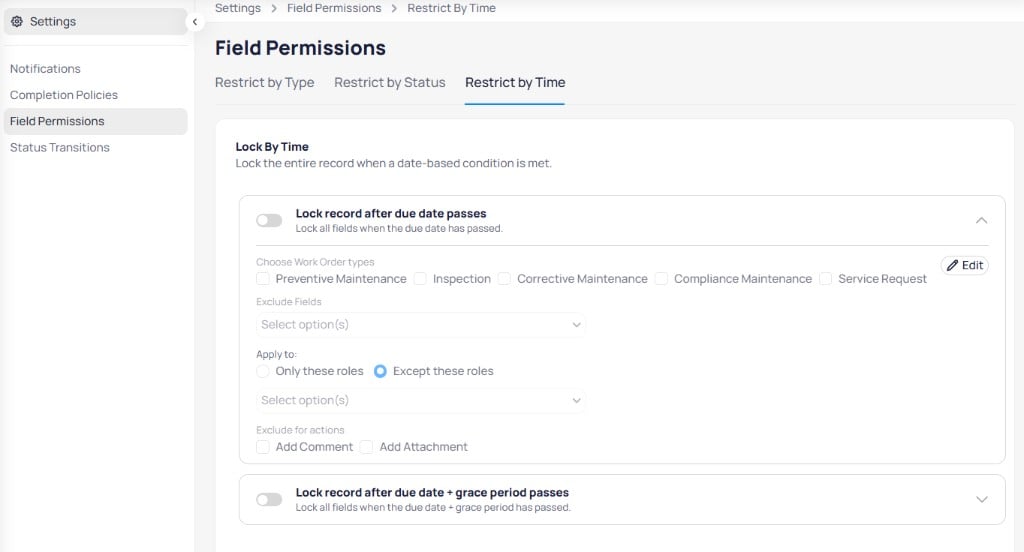
Lock records after the due date or after due date plus grace period
Each rule supports Choose work order types, Exclude fields, role scope, and Exclude for actions options similar to status-based rules.