

It turns a high-level chart into a doorway: select West region on a portfolio bar and land on a building-level page already filtered to West. It is not the same as drill-down, which expands a hierarchy inside one chart.
Drill-through is not drill-down
- Drill-down stays inside one chart and expands configured hierarchy layers (for example, region → building → floor). Same widget, more detail.
- Drill-through navigates to a different page or dashboard and filters its widgets by the point you selected. Different view, same context.
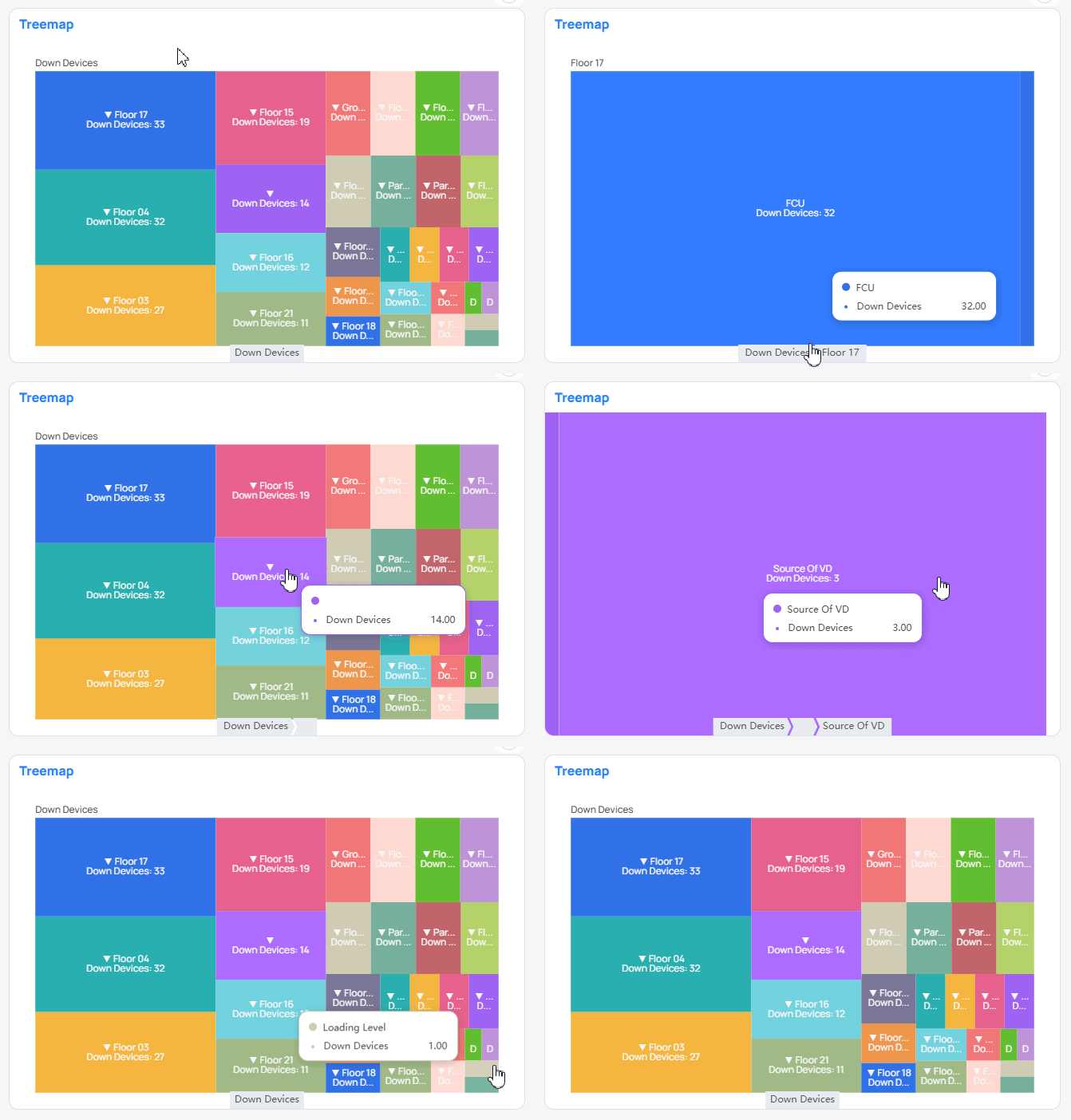
Treemap drill-down expands hierarchy inside one chart
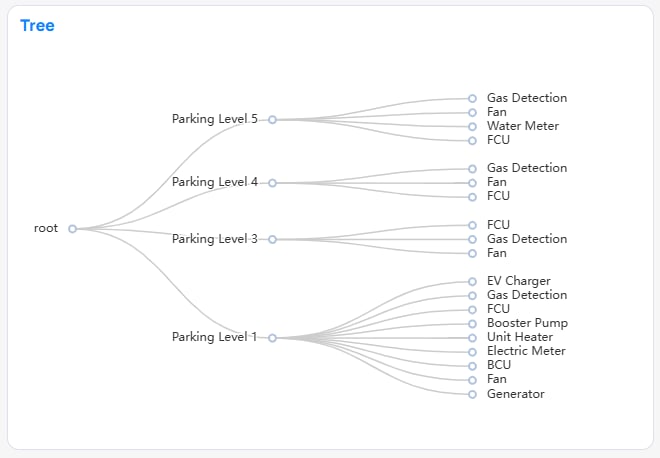
Tree chart showing area and device-type nesting
A cross-filter that travels
When you right-click a data point, Building BI reads the column behind it (for example,region = West). If that column is registered as a drill-through column on a target, navigation options appear. Choosing one builds a normal EQUALS or IN filter from your selection and applies it to the target’s widgets. Eligibility matches cross-filtering, so a metrics-only chart cannot be a source.
Rules:
- Enable drill-through on both the source and the target dashboard.
- A target declares which columns can be drilled into. The selection is not saved on the target — it behaves like a one-time cross-filter.
- An optional Keep all filters toggle decides whether the source’s other active filters travel with the drill-through value, or only the selected value.
- Allowed directions: Portfolio → Building, and Building → dashboards within the same building. Building → Portfolio and Building → another building are not allowed.
When drill-through fits
Treating the filter as one-time and unsaved keeps targets clean. The cost is that the target does not remember where you came from. Directional limits keep navigation predictable — some cross-building journeys must go back up through the portfolio.
- Drill-through does not work on shared links or on mobile.
- A target that has not opted in will not appear as an option.
- Refreshing or re-opening the target outside the drill-through flow will not reproduce the carried filter.
Next steps
Dashboard filters
Configure filters and related interactions on a dashboard.
Filter scopes
Control which widgets a carried filter touches on arrival.