

Navigate to
FDD in the left sidebar, then select Settings at the bottom of the secondary sidebar.Priorities
The Priorities tab defines the severity levels assigned to events, incidents, and faults. Each priority level has a name, description, color-coded badge, SLA configuration, and visibility toggle.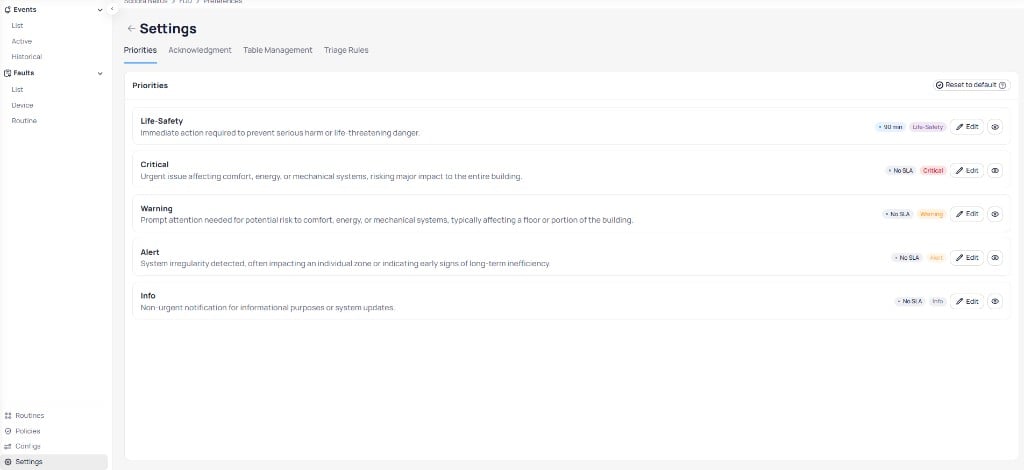
The Priorities tab lists all priority levels with their descriptions, SLA settings, and visibility controls
Each priority level supports the following options:
- SLA — set a time-based service level agreement for response (for example, 90 minutes for Life-Safety)
- Edit — modify the name, description, color, or SLA for the priority level
- Visibility — toggle the priority level on or off. Hidden priorities do not appear in filters or event views.
Reset to default to restore the original Cloud BMS priority configuration.
Acknowledgment
The Acknowledgment tab controls how users acknowledge events. Only users assigned to the event’s notification policy can acknowledge it. These settings control comment requirements. They do not change who is allowed to acknowledge.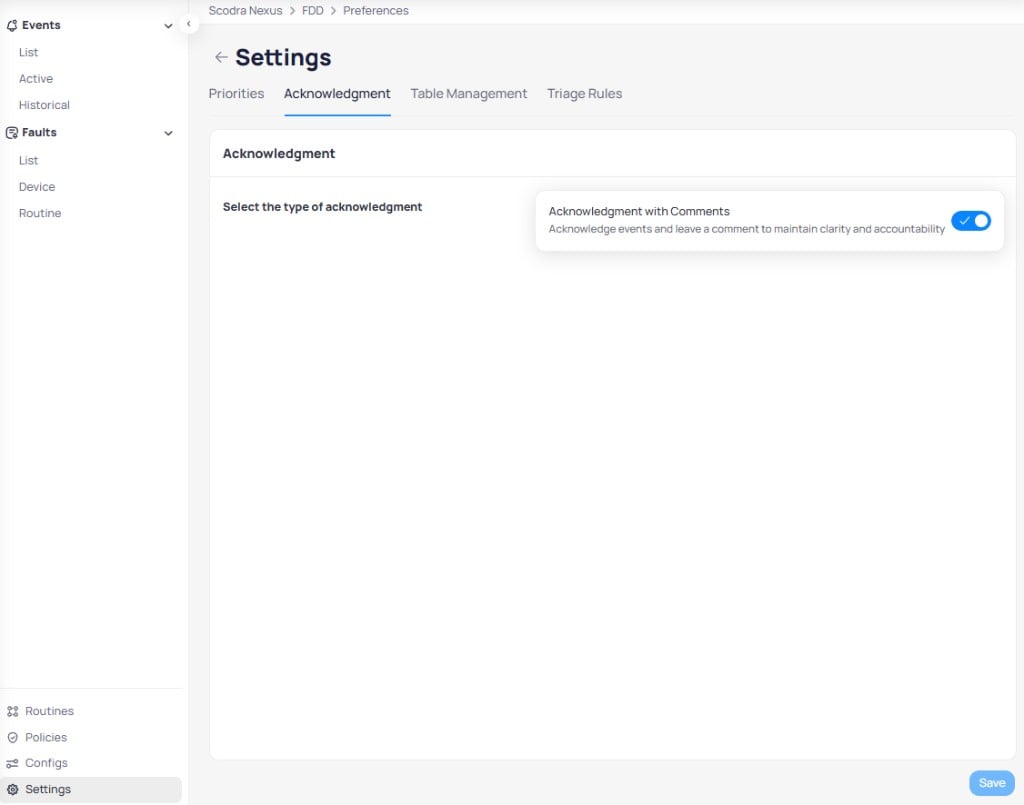
The Acknowledgment tab lets you require comments when acknowledging events
Toggle
When enabled, users must leave a comment when acknowledging an event. This maintains clarity and accountability by requiring documentation of the acknowledgment action.
Save to apply changes.
Table Management
The Table Management tab controls column visibility and ordering across Events, Incidents, and Faults tables throughout your portfolio. Each table type maintains independent column settings.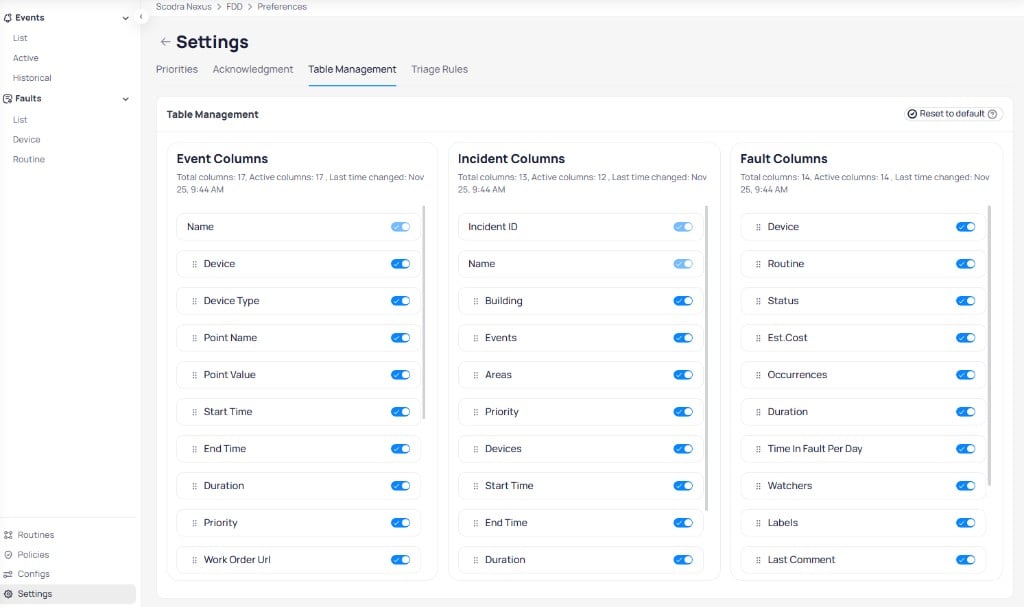
Table Management shows column toggles for Event, Incident, and Fault tables side by side
Configure columns
- Toggle visibility — use the switch next to each column name to show (blue) or hide (gray) the column
- Reorder columns — click and hold the drag handle next to any column name, drag to the desired position, and release
Apply changes
When you select
Apply changes, a confirmation dialog appears.
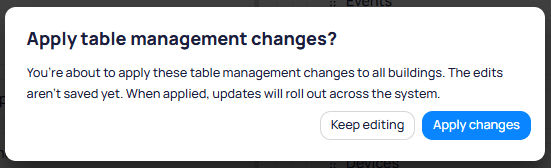
The confirmation dialog warns that changes will roll out across the system
Individual users can customize their own column preferences per building. User preferences override the organization’s portfolio or building-level settings.
Column reference
Event columns (17 total)
Event columns (17 total)
Incident columns (13 total)
Incident columns (13 total)
Fault columns (14 total)
Fault columns (14 total)
Triage Rules
The Triage Rules tab defines automated rules that manage fault statuses and labels based on time-based conditions. Each rule has a description, an optional label, a configurable time parameter, and an enabled toggle.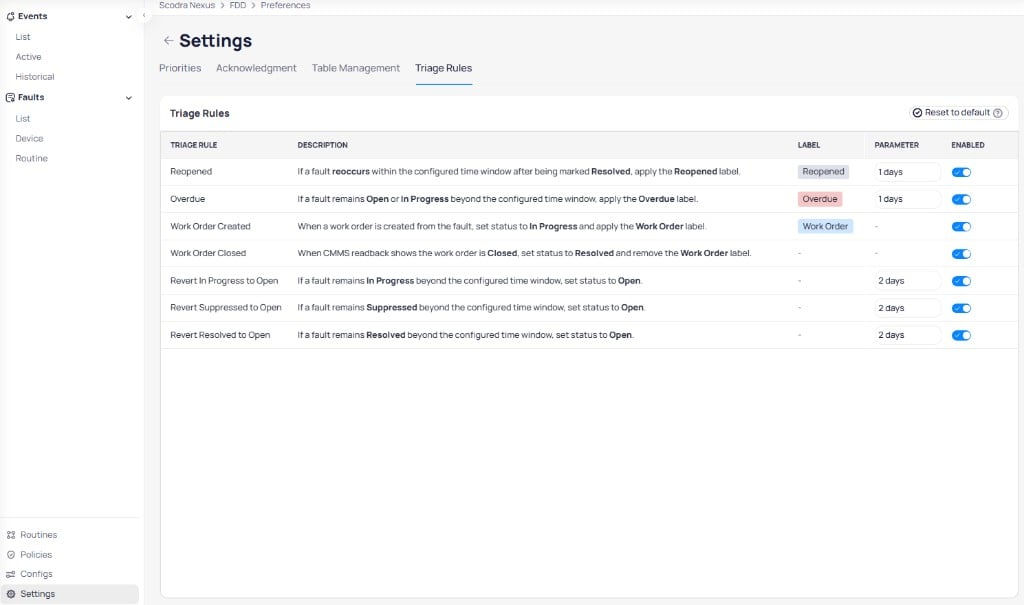
Triage Rules automate fault status changes and label assignments based on configurable time windows
Use the toggle in the
Enabled column to activate or deactivate individual rules. Select Reset to default to restore the original triage rule configuration.
Next steps
Events
Monitor and investigate real-time fault events across your building equipment.
Notification policies
Control how FDD delivers alerts through email, SMS, push, and phone calls.
Handling FDD updates
Understand how configuration changes affect active events and incidents.