

Read blocks
Read blocks bring point data into your FDD routine. Each Read block has three inputs (Name, Main/Secondary, Field) and two outputs (Status, Value).Configuration fields
Field
Click inside the
Field input box to open a selection dialog. Available points are scoped based on the entities defined in the routine. If you do not see a required point, verify that the routine’s entities include the field you need.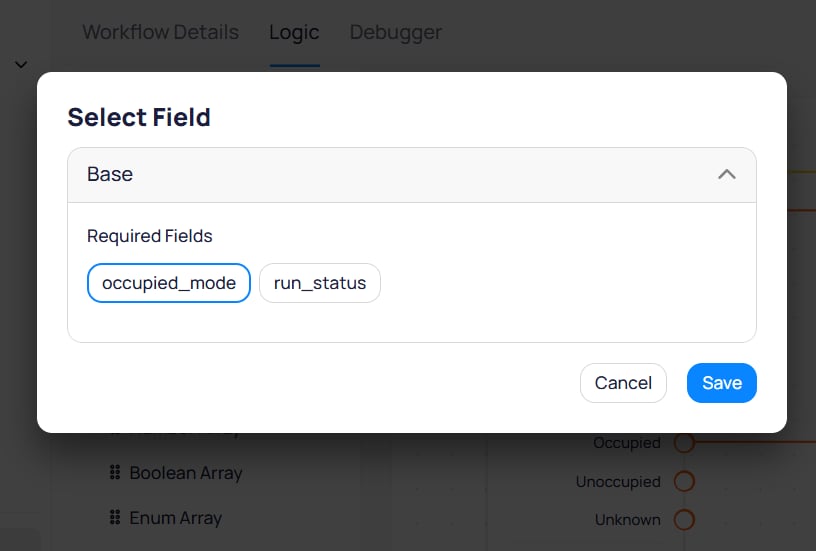
The Select Field dialog shows required fields scoped by the entities defined in the routine
Field
A free-form input where you assign a label to the block. Use a name that matches or closely resembles the point name for easy reference during debugging and reporting.
Toggle
Designate whether the point is the main reference point or a supporting point. Every routine must have exactly one main Read block (set to
Main). When an event is generated, the system uses the main point as the reference to other modules in Cloud BMS. All other Read blocks are supporting points (Secondary).Point types
Each Read block type outputs a different data type.String Point
Outputs the current string reading from the selected point.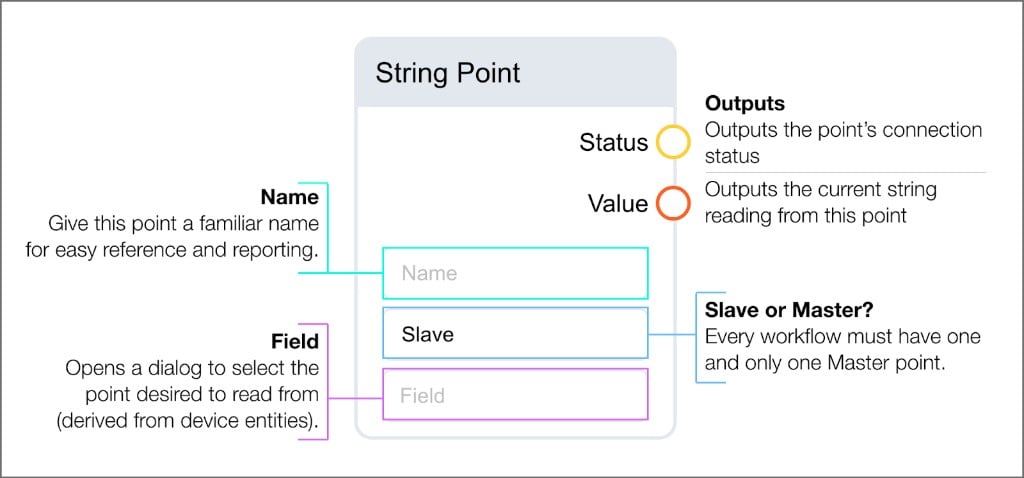
Number Point
Outputs the current number values from the selected point.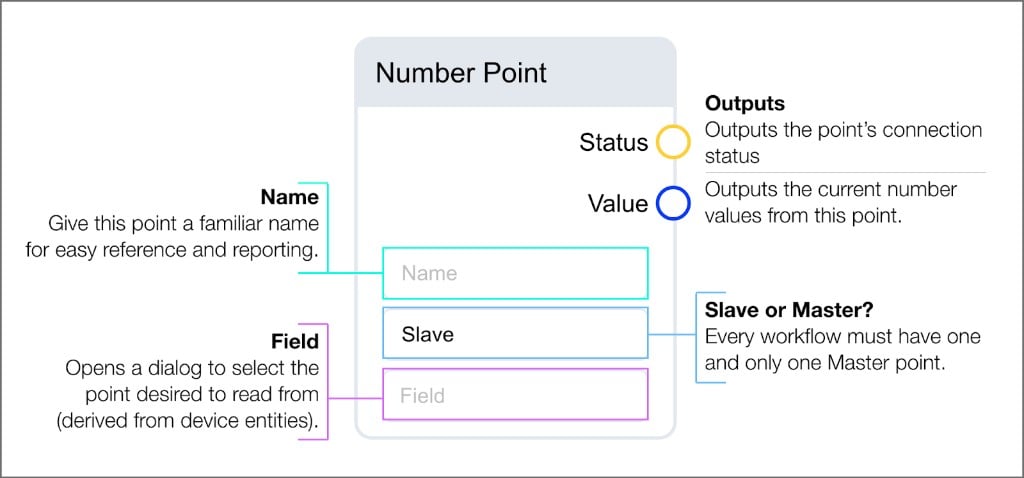
Boolean Point
Outputs the current boolean values from the selected point.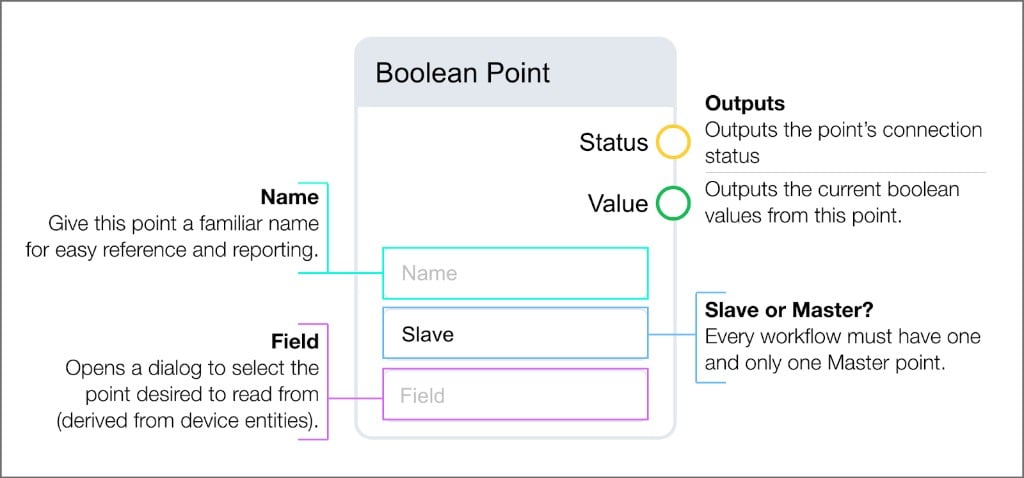
Enum Point
Outputs the current enum-mapped values from the selected point. The Field input is derived from device entities and enum mapping.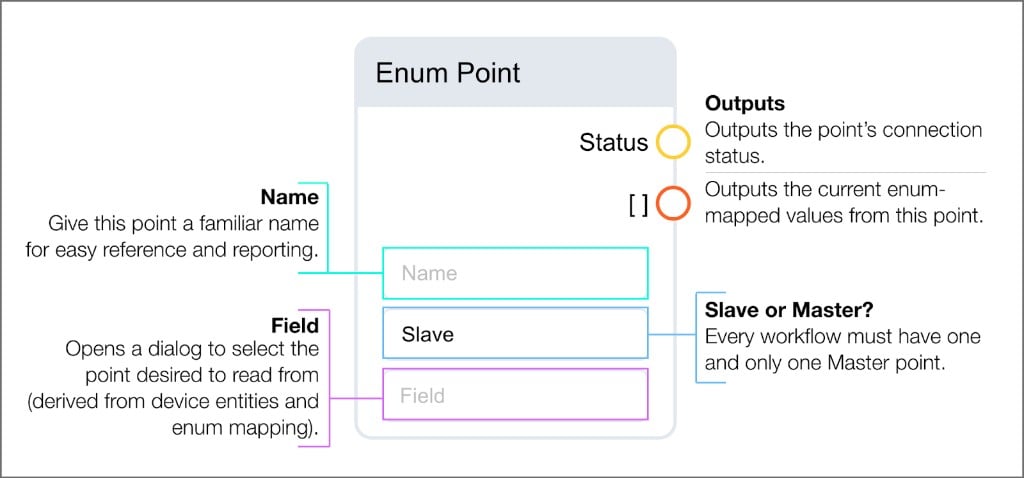
Read arrays
Within a device, it is possible to have two distinct fields that share the same name. In these cases, the field is appended with an identifying number, and the status of that field is an aggregate of the numbered variants. FDD identifies the array potential of these fields and allows you to select an array Read block. For example, if a device has two compressor stages, determining whether the compressor is running requires checking both stage points. With a Read Array block, you bring in a single block instead of separate Read blocks for each stage. This simplifies the routine logic and covers all variations of multi-stage equipment within a single routine. Array blocks have Name and Field inputs and output lists where each item represents a point in the array.String Array
Outputs a list of string values from points in the array.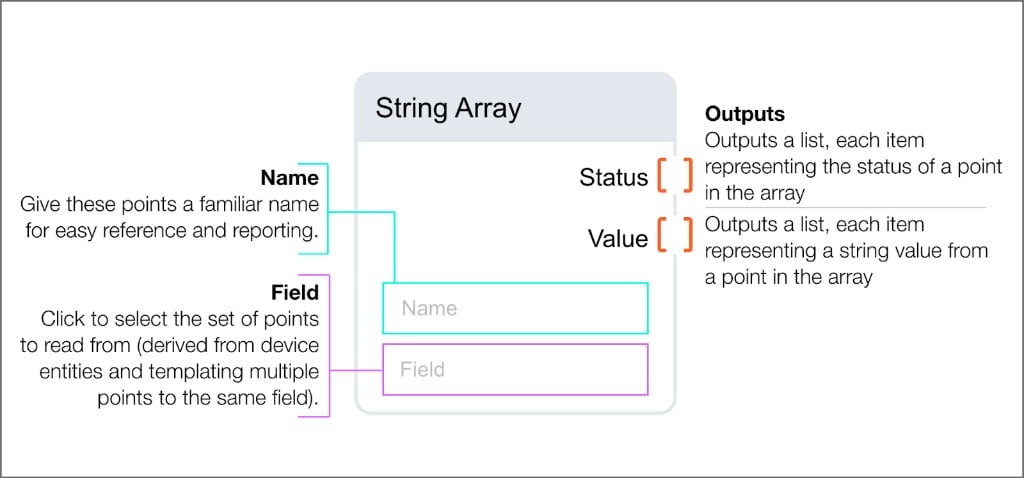
Number Array
Outputs a list of number values from points in the array.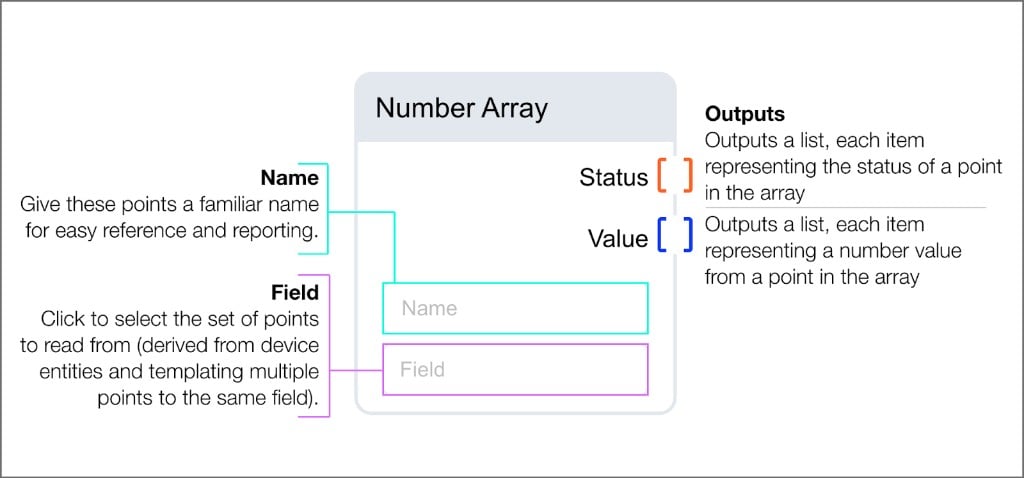
Boolean Array
Outputs a list of boolean values from points in the array.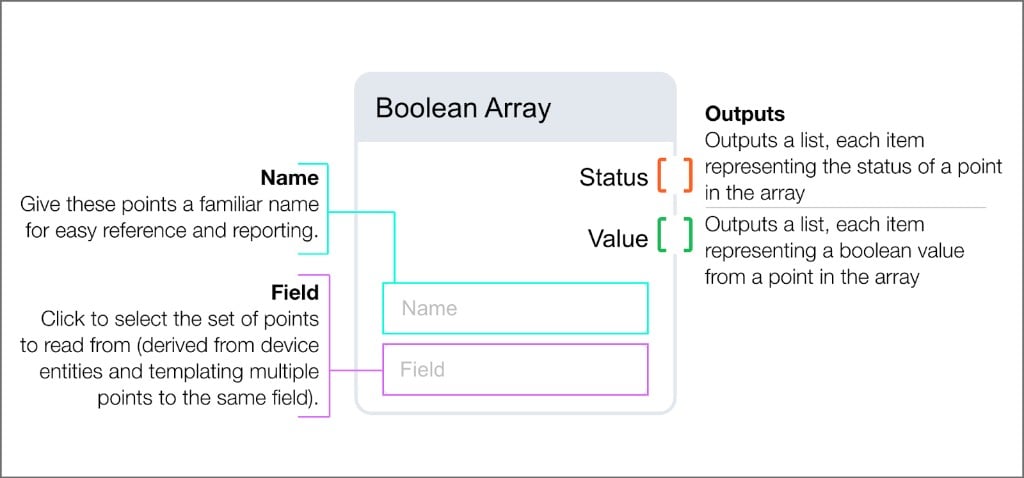
Enum Array
Outputs a list of enum values from points in the array.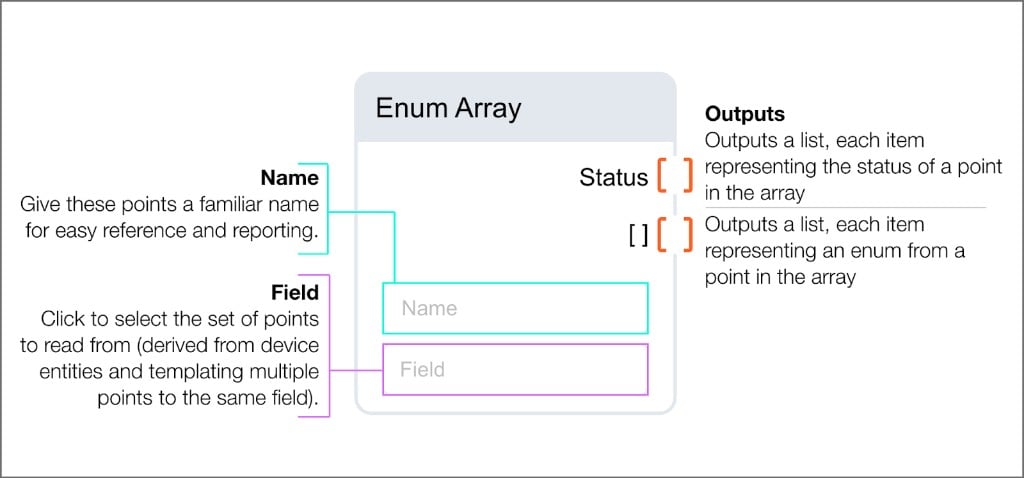
Parameter blocks
Parameter blocks let you define adjustable values that can be customized per project without modifying the routine logic. Values set in parameter blocks become available when configuring a routine on the Configs page. Each parameter block has three inputs (Name, Hint, Value) and one Output.Field
A human-readable label for the parameter. Use a descriptive name that can be understood by anyone reviewing the routine. Clear naming minimizes confusion when troubleshooting or understanding the parameter’s intent later.
Field
A string input that appears when hovering over the information icon during configuration. Use as many words as necessary to communicate the parameter’s intent, expected range, and purpose.
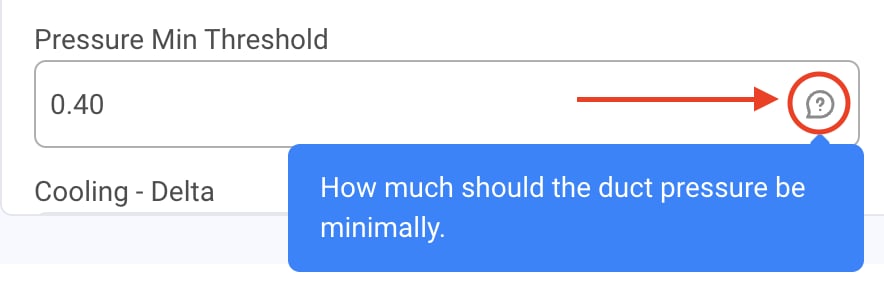
The Hint text appears as a tooltip when hovering over the info icon during configuration
Field
The default value for the parameter. When you configure the routine on the Configs page, you alter this input to the algorithm. Most parameters require a default value.
Parameter types
String
Outputs the string specified in the value field. Values are available for customization during configuration.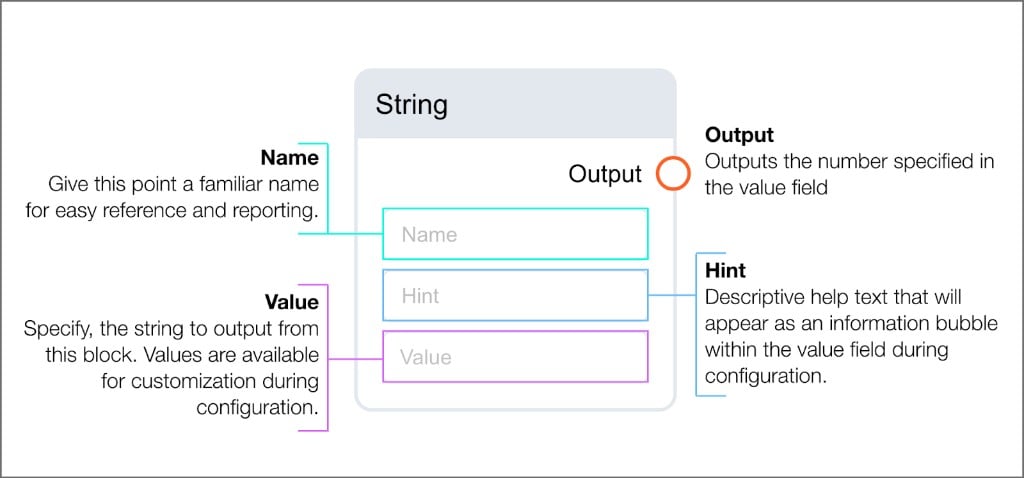
Number
Outputs the number specified in the value field. Values are available for customization during configuration.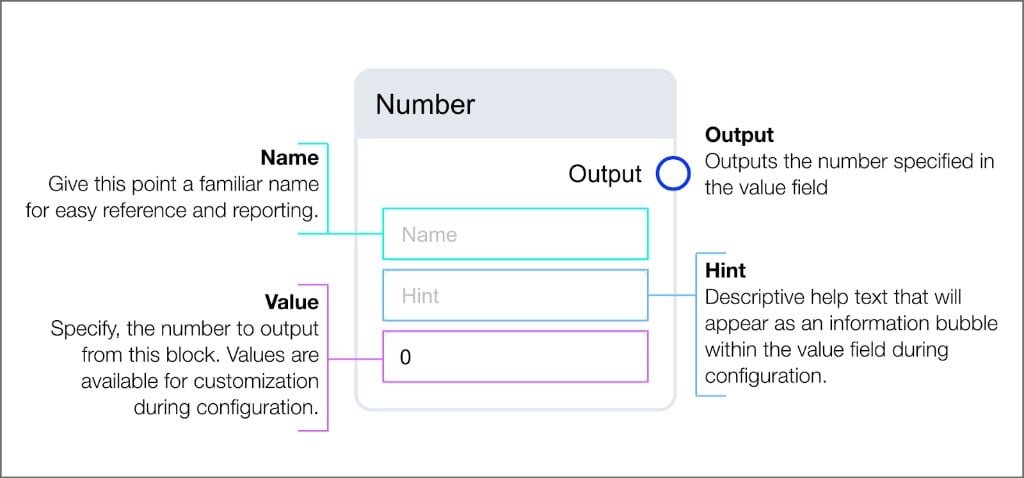
Boolean
Outputs the boolean specified in the value field. Values are available for customization during configuration.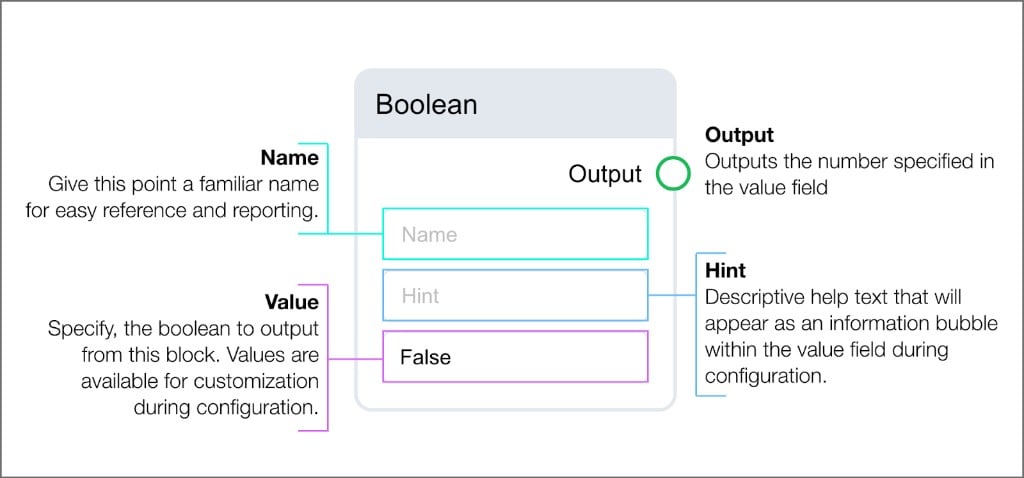
Arithmetical blocks
Arithmetical blocks perform mathematical operations on number inputs. Use these blocks to calculate differences, ratios, and derived values from your point data. Arithmetical blocks come in two forms: Single-input blocks accept one number input (or a static value) and produce one result.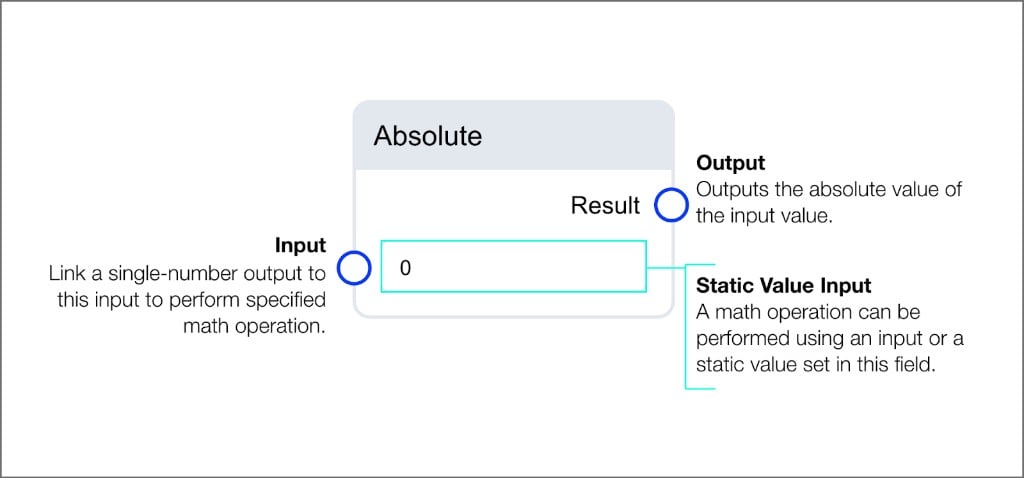
Absolute block: outputs the absolute value of the input
+ button to add additional input fields.
Available operations
Sum
Outputs the post-calculated value from adding all inputs.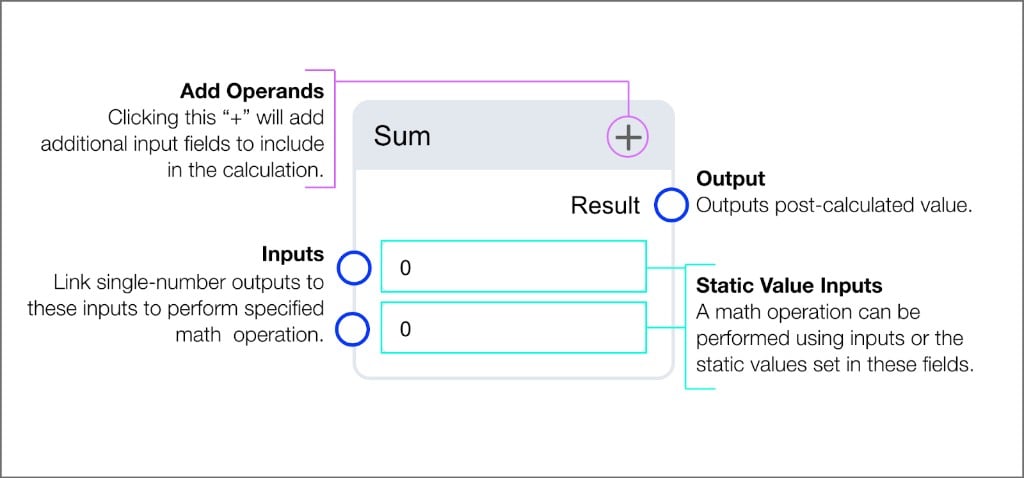
Difference
Outputs the post-calculated value from subtracting inputs.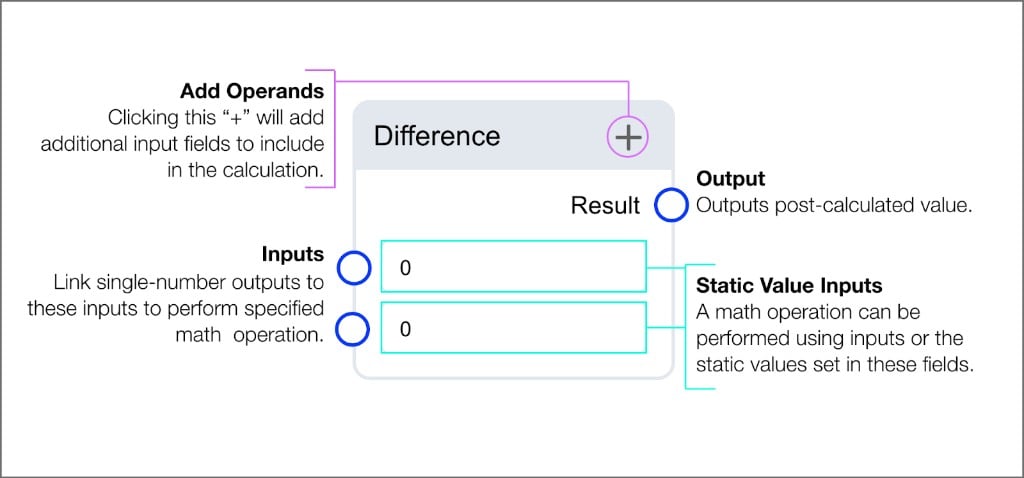
Product
Outputs the post-calculated value from multiplying inputs.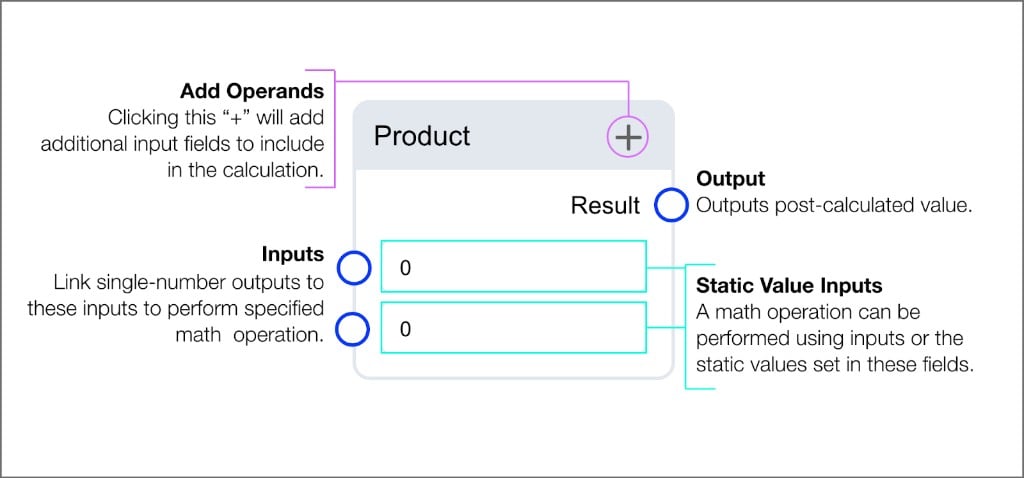
Quotient
Outputs the post-calculated value from dividing inputs.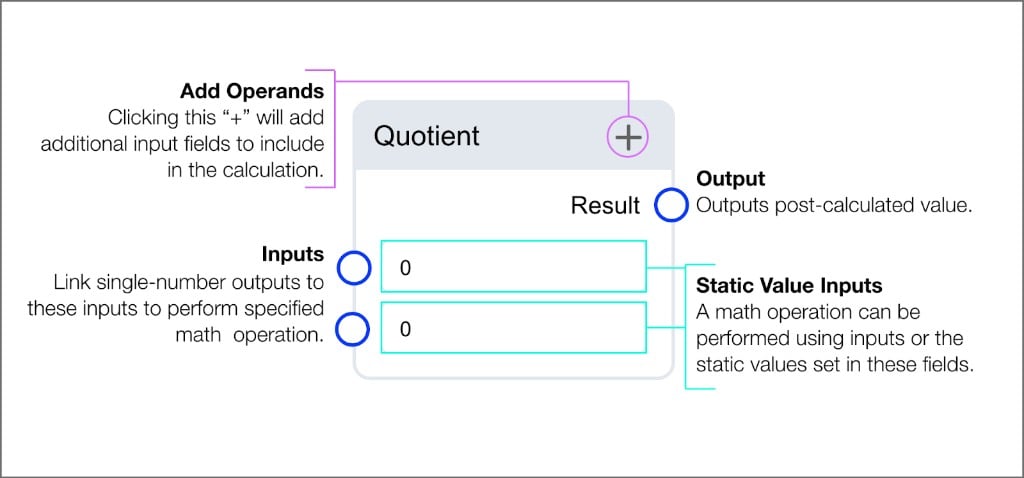
Modulo
Outputs the remainder from calculating the quotient of the inputs.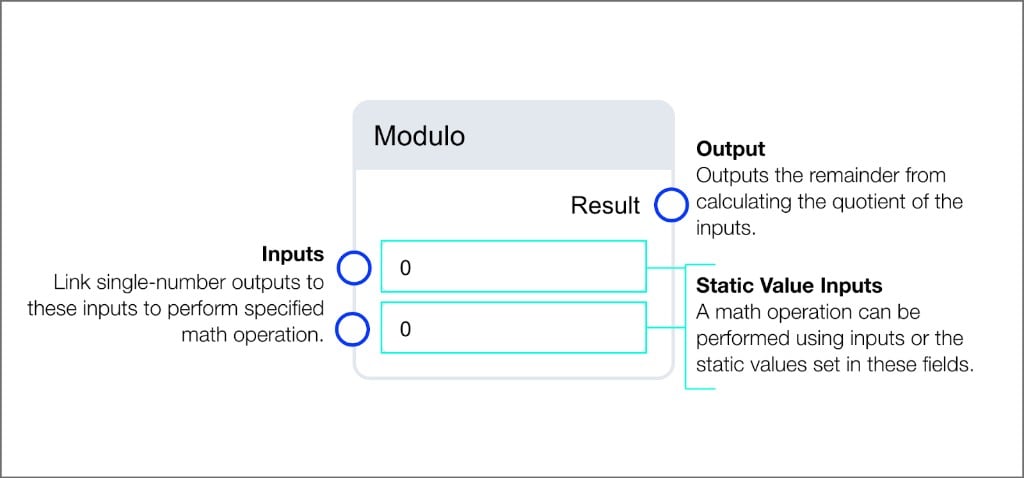
Absolute
Outputs the absolute value of the input value.Max
Outputs the largest input value.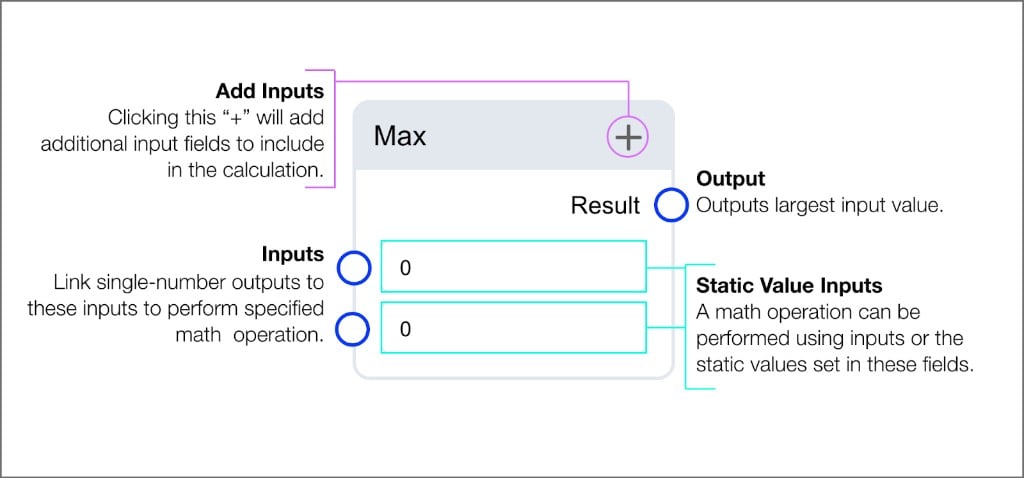
Min
Outputs the smallest input value.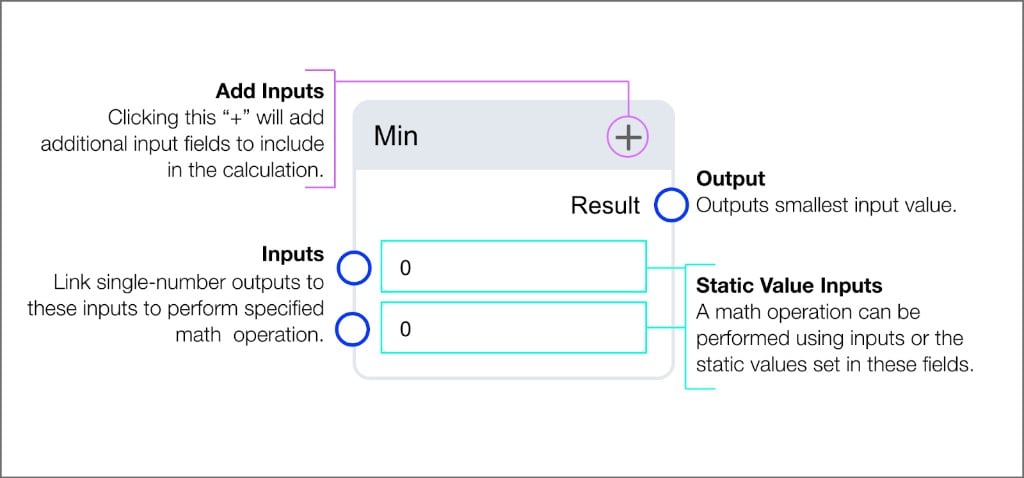
Mean
Outputs the average of input values.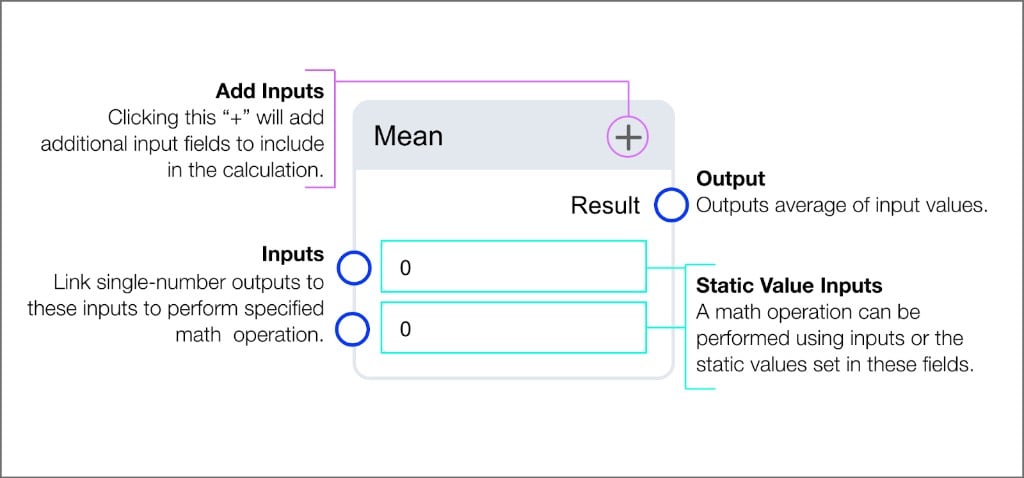
Array operation blocks
Array operation blocks process a series of data points collected from the same source over time. Use these blocks to analyze trends, detect patterns, and compute statistics. Each block accepts a list input and returns a single result.Available operations
Delta
Returns the difference between the minimum value and the maximum value in the list.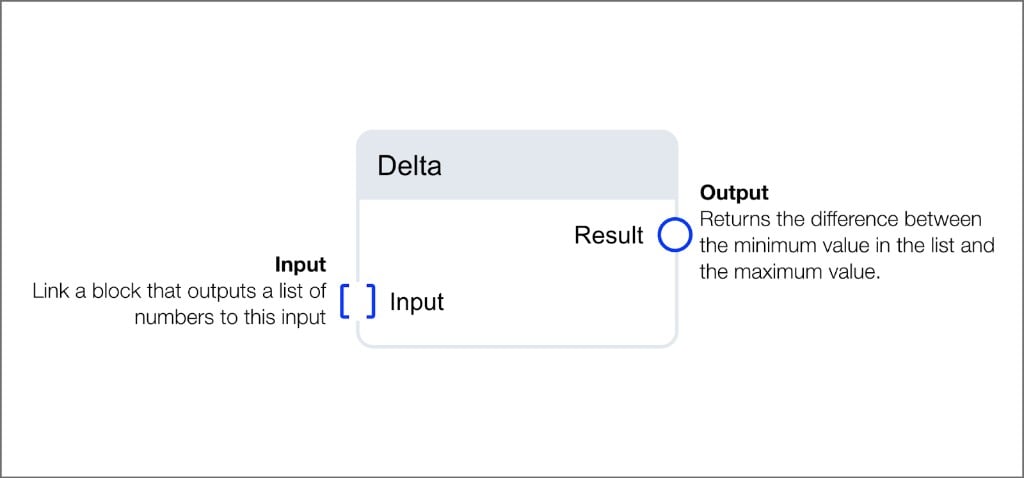
Length
Returns the count of items in the provided list. Accepts lists of numbers, booleans, or strings.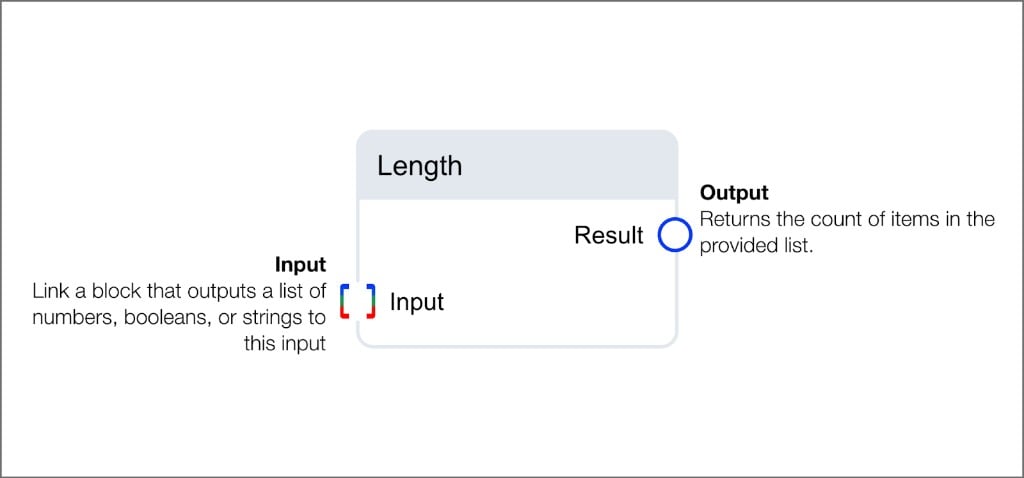
Max Array
Returns the largest number in the list.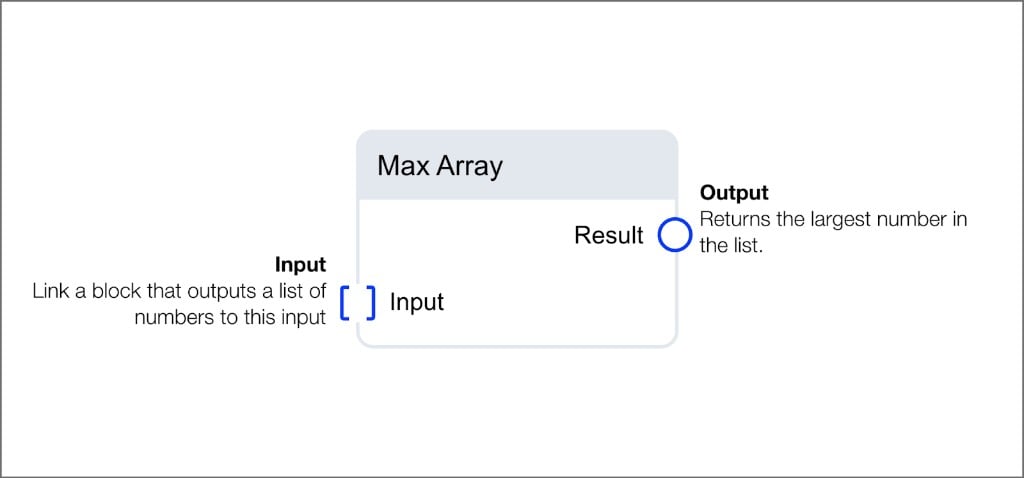
Min Array
Returns the smallest number in the list.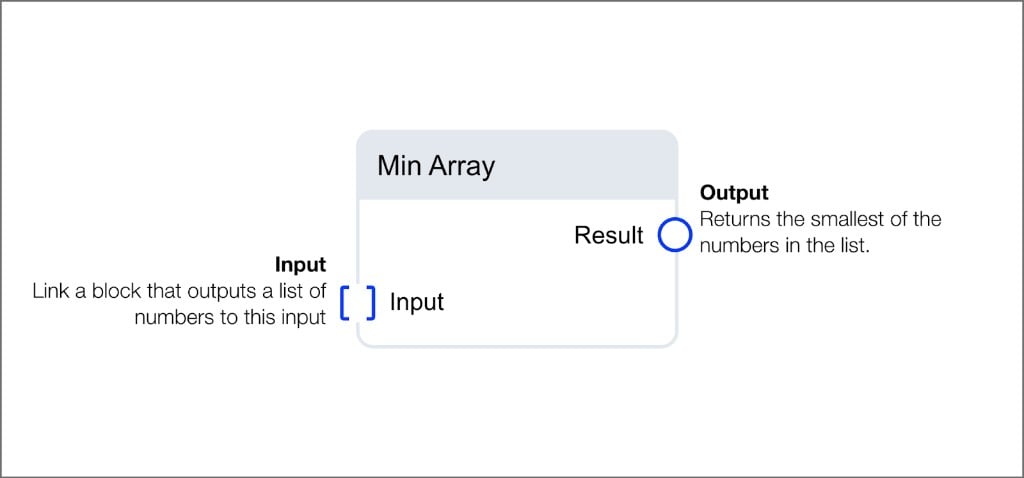
Mean Array
Returns the mean of the numbers in the list. Select betweenWeighted or Simple calculation mode.
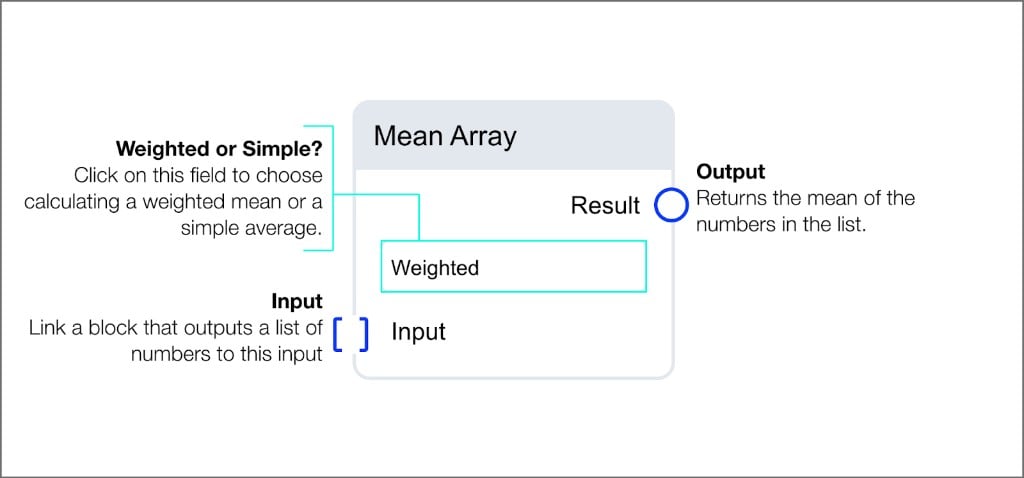
Std Deviation
Returns the standard deviation of the numbers in the list. Select betweenWeighted or Simple calculation mode.
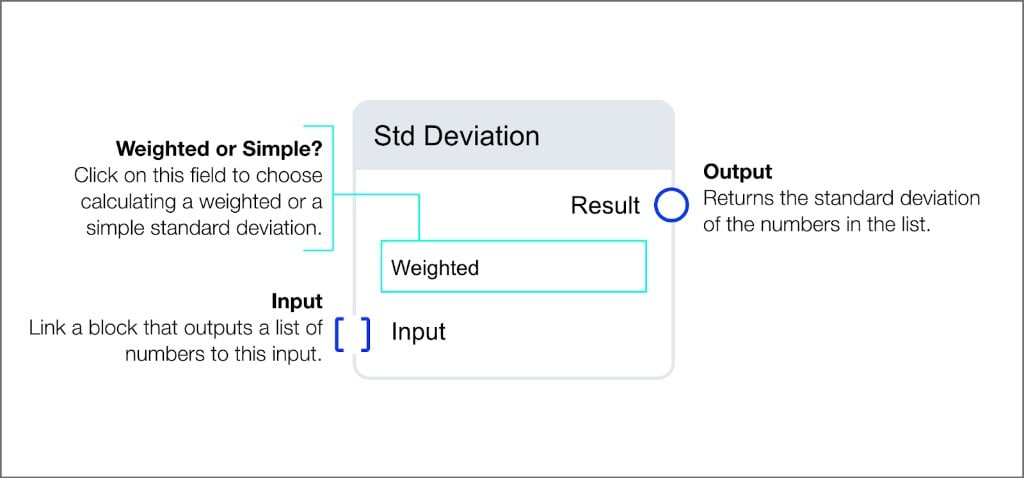
Sort Array
Returns the input list sorted in the specified order. Select betweenAscending or Descending.
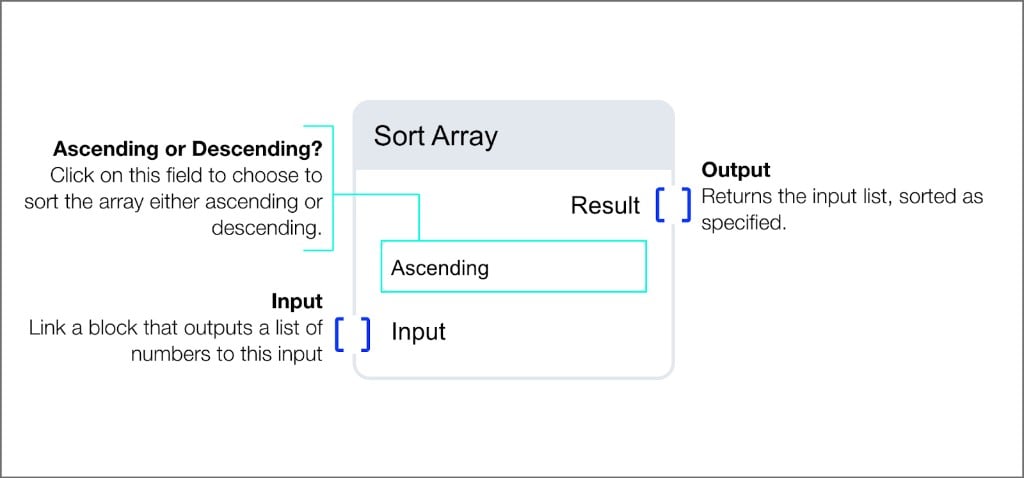
Sum Array
Returns the sum of all the numbers in the list.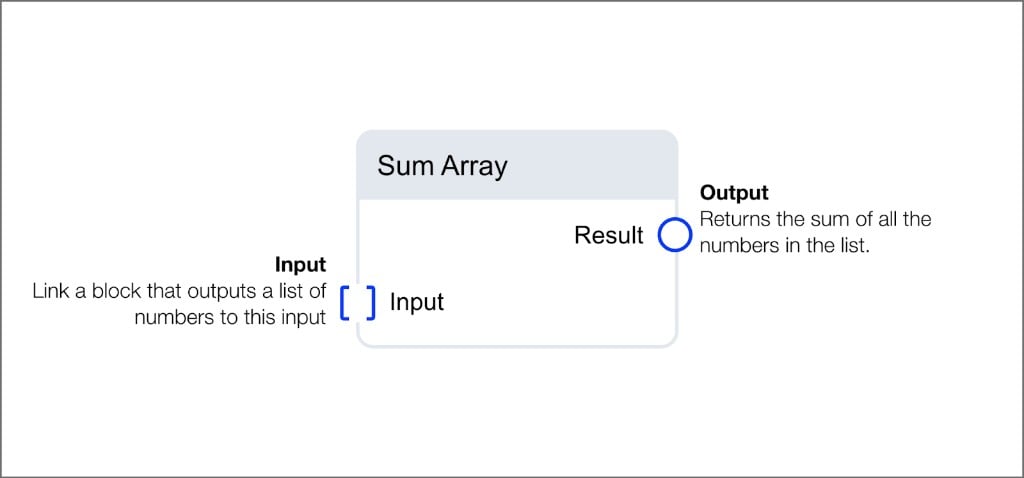
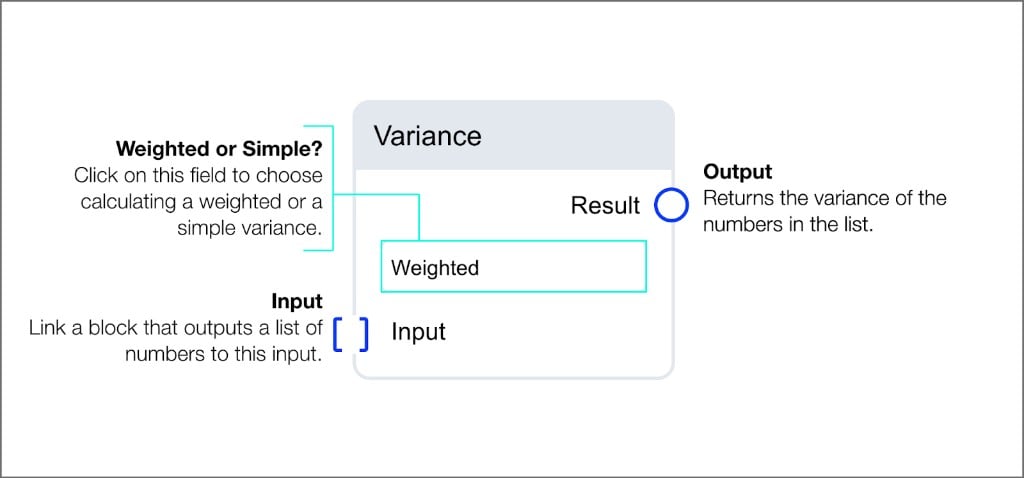
Variance
Returns the variance of the numbers in the list. Select betweenWeighted or Simple calculation mode.
Example workflows
Difference between highest and lowest values over five minutes: Read Number > Buffer Time (5 min) > Array Sort (Ascending) > Array Delta This workflow captures five minutes of data, sorts the values, and calculates the difference between the highest and lowest readings. 15-minute rolling average: Read Number > Buffer Time (15 min) > Array Mean This workflow buffers 15 minutes of readings and outputs the running average.Conditional and switch blocks
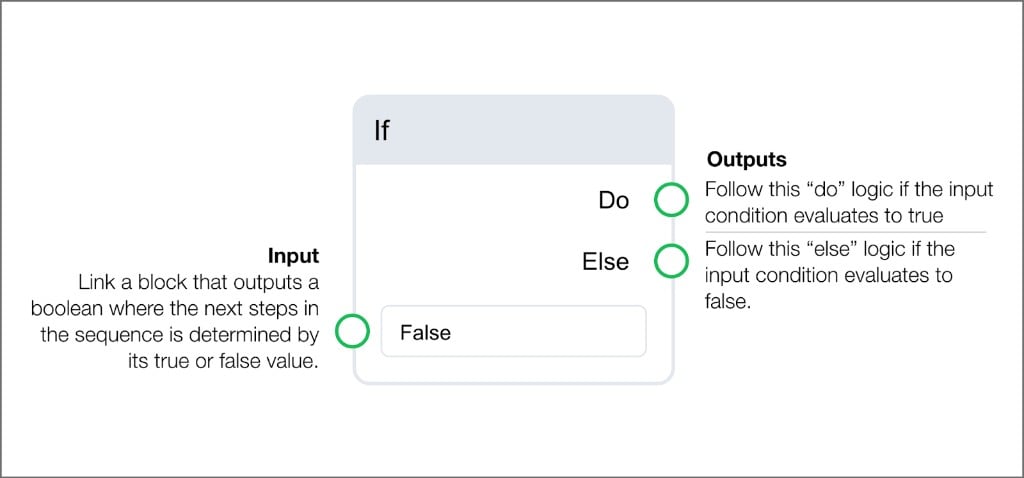
Conditional and switch blocks direct the routine’s execution path based on input data.If
The If block evaluates a boolean input and routes to one of two outputs. TheDo output fires when the condition is true, and the Else output fires when the condition is false.
Switch blocks
Switch blocks evaluate a conditional input and output the corresponding value based on whether the condition is true or false. Each switch type outputs a different data type.String Switch
Outputs the corresponding string associated to the evaluated true or false condition.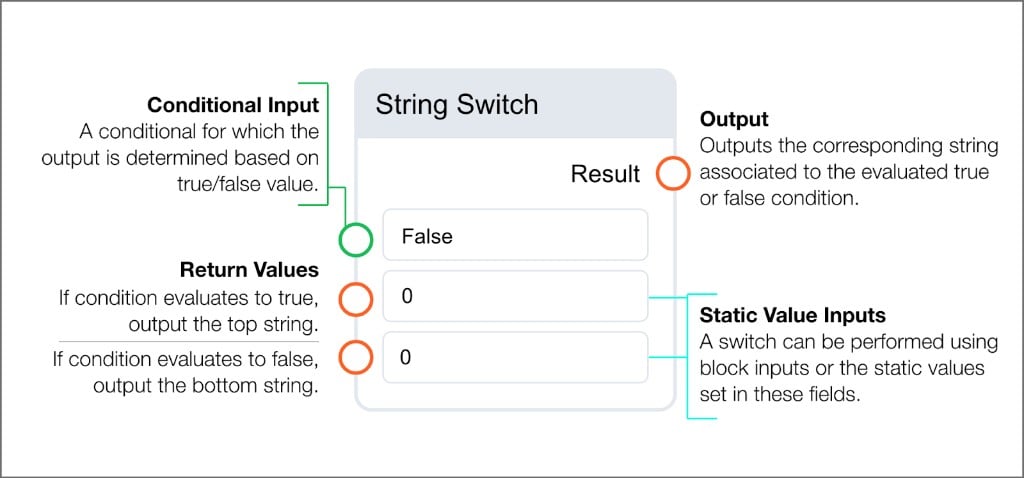
Numeric Switch
Outputs the corresponding number associated to the evaluated true or false condition.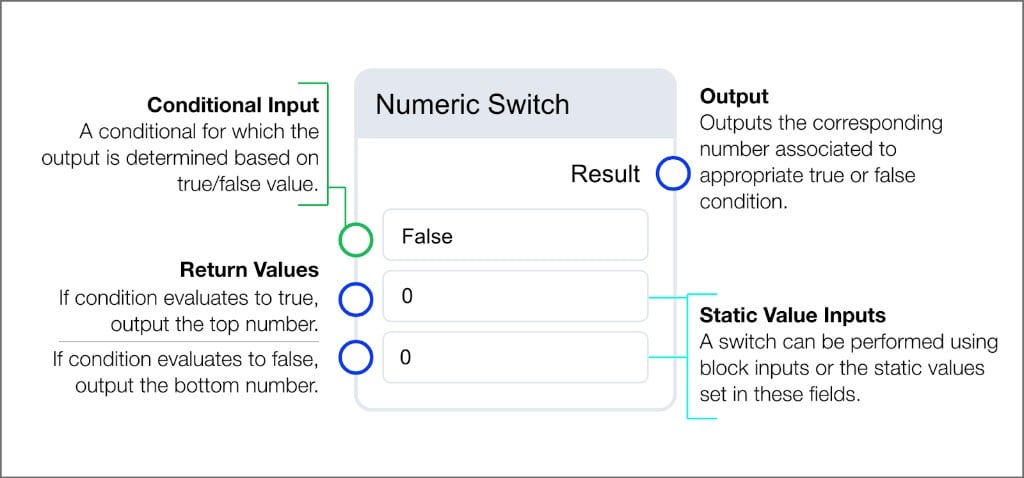
Boolean Switch
Outputs the boolean associated to the evaluated true or false condition.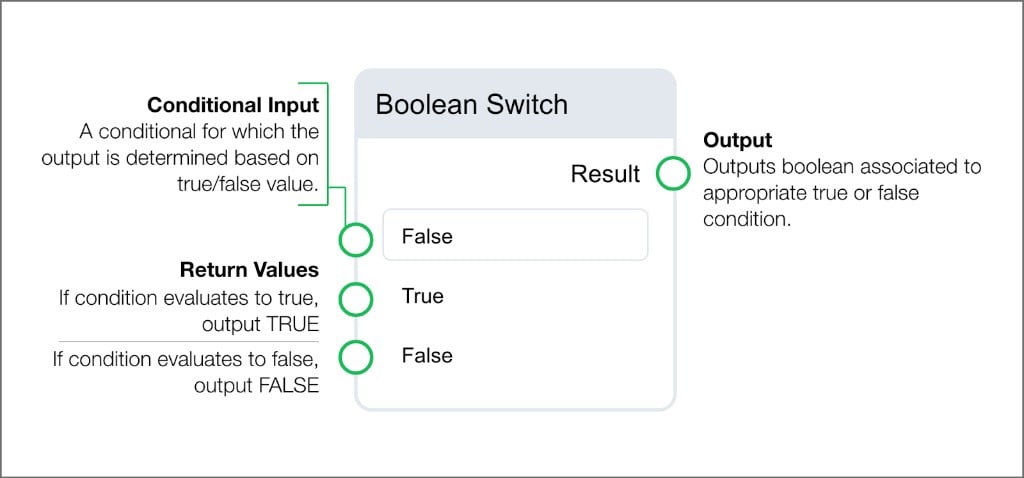
Logical and comparison blocks
Logical and comparison blocks perform boolean operations on inputs. Select the+ button on multi-input blocks to add additional conditionals.
Logical blocks
And
Outputs true if all input values are true.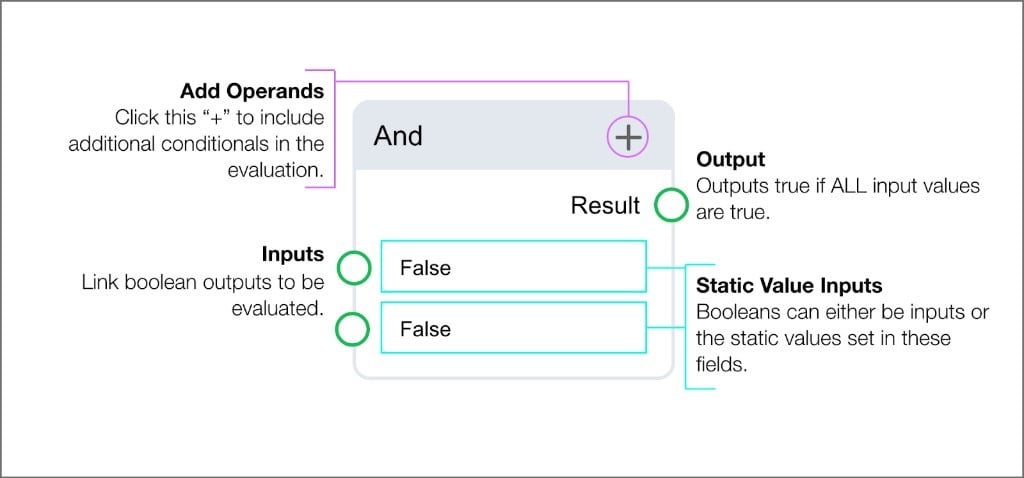
Or
Outputs true if any input value is true.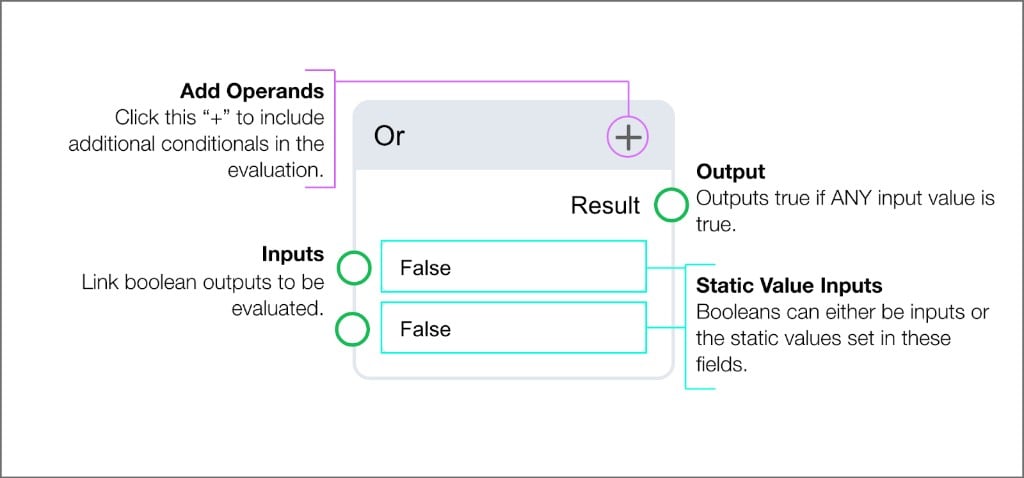
Not
Returns the opposite boolean from the input.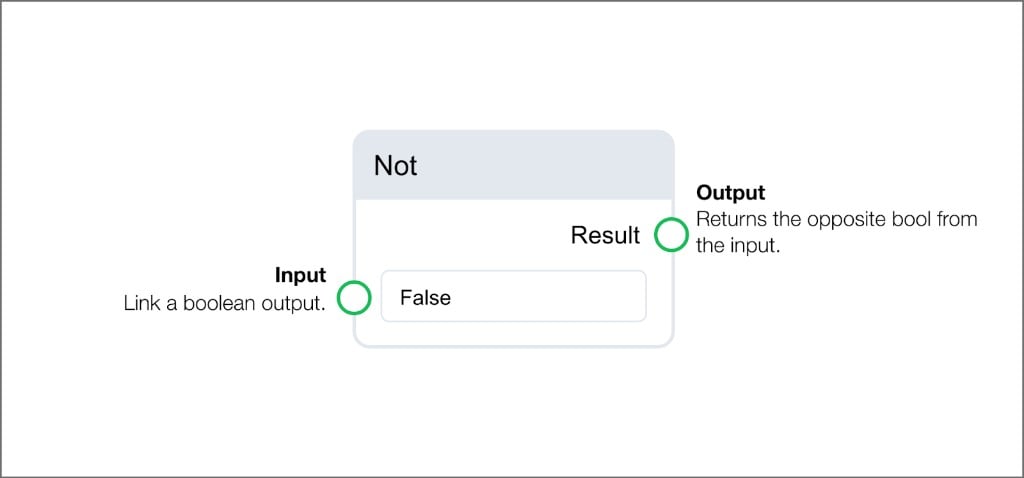
All
Outputs true if all items in the input list match the provided value. Accepts lists of numbers, booleans, or strings.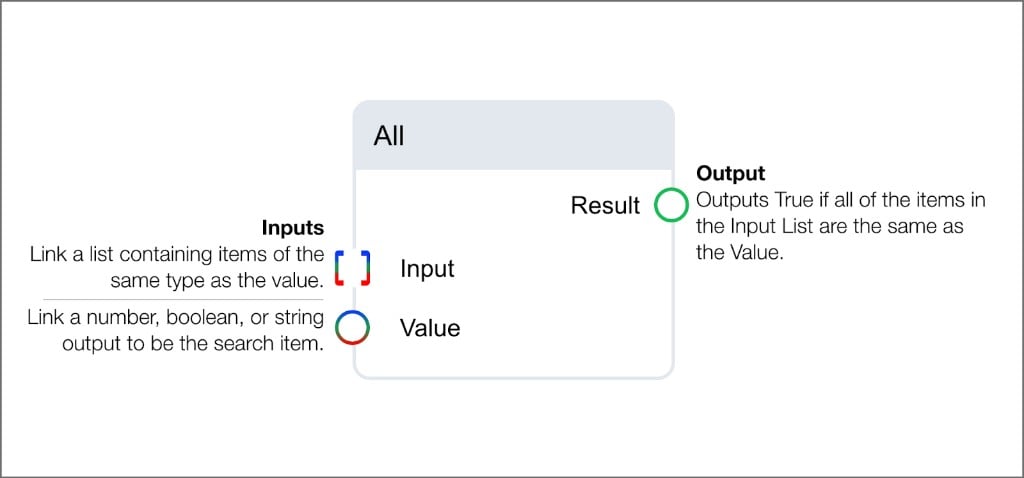
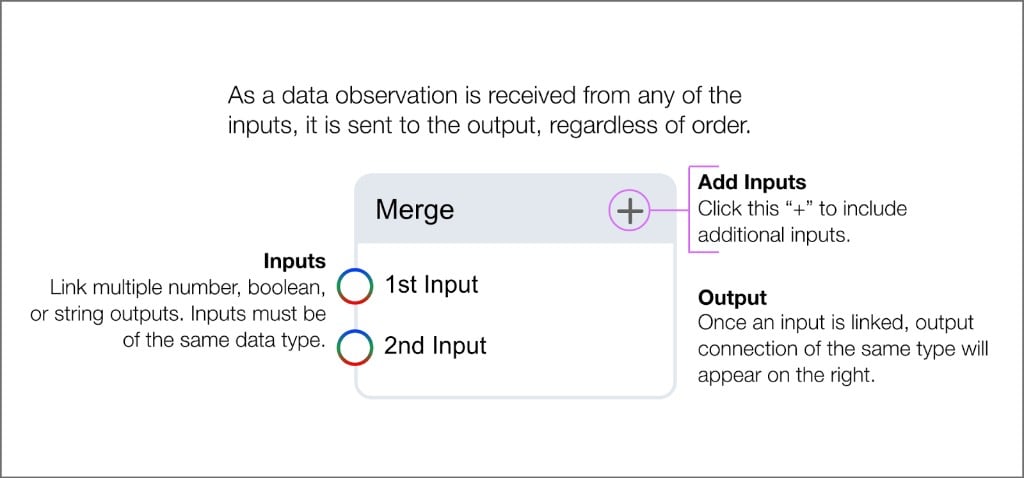
Merge
Sends data from any of its inputs to the output as observations are received, regardless of order. Inputs must be of the same data type. Select+ to add additional inputs.
Comparison blocks
Equals
Outputs true if both inputs are evaluated as equal. Accepts number, boolean, or string operands of the same type.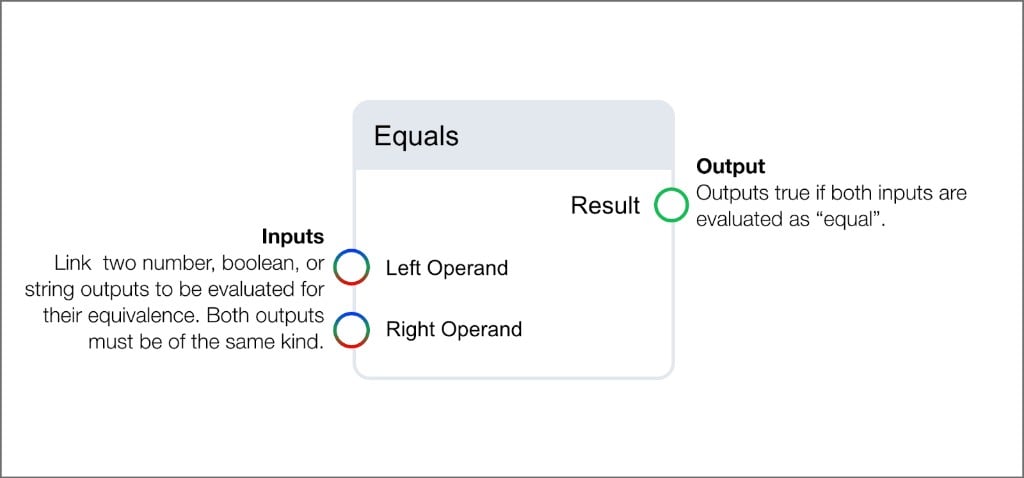
Greater Than
Outputs true if the left operand is greater than the right. Accepts number inputs or static values.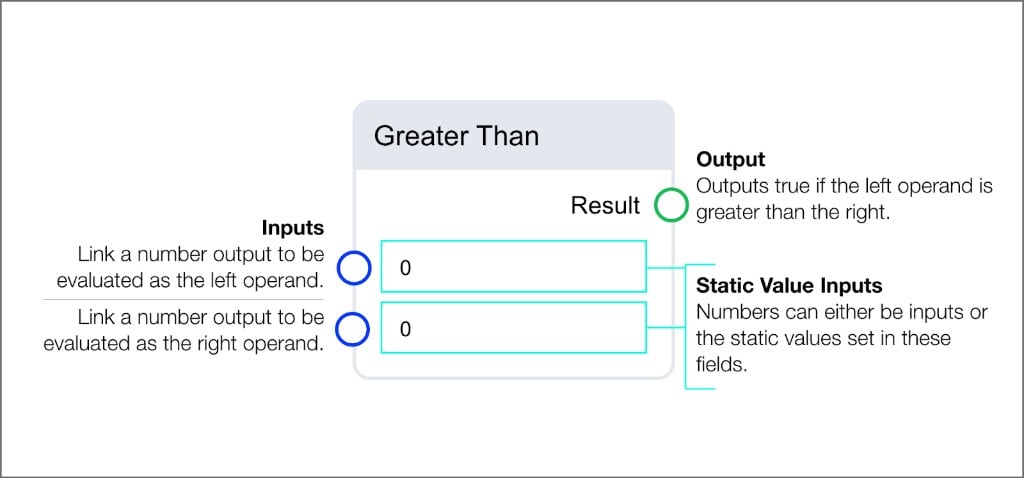
Less Than
Outputs true if the left operand is less than the right. Accepts number inputs or static values.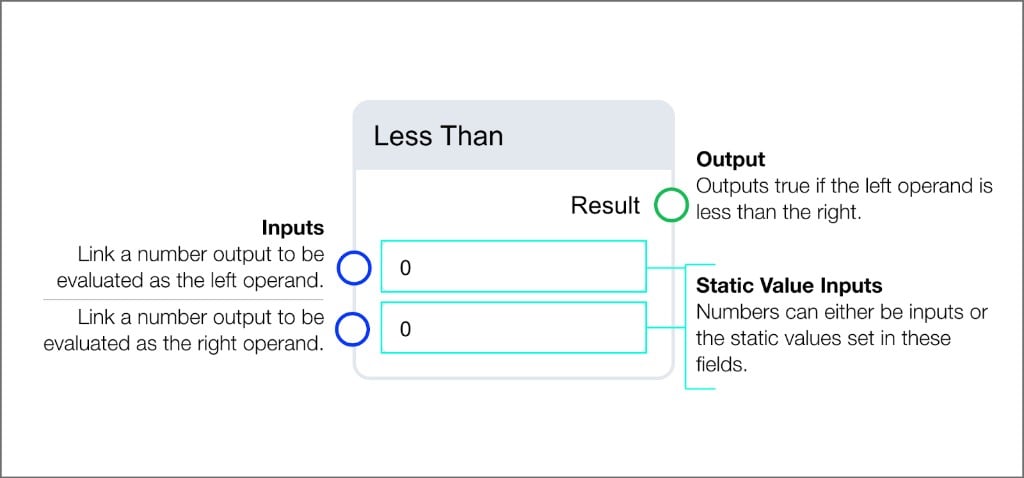
In
Outputs true if the data observation received by the Value input is found as an item in the input list. Accepts lists of numbers, booleans, or strings.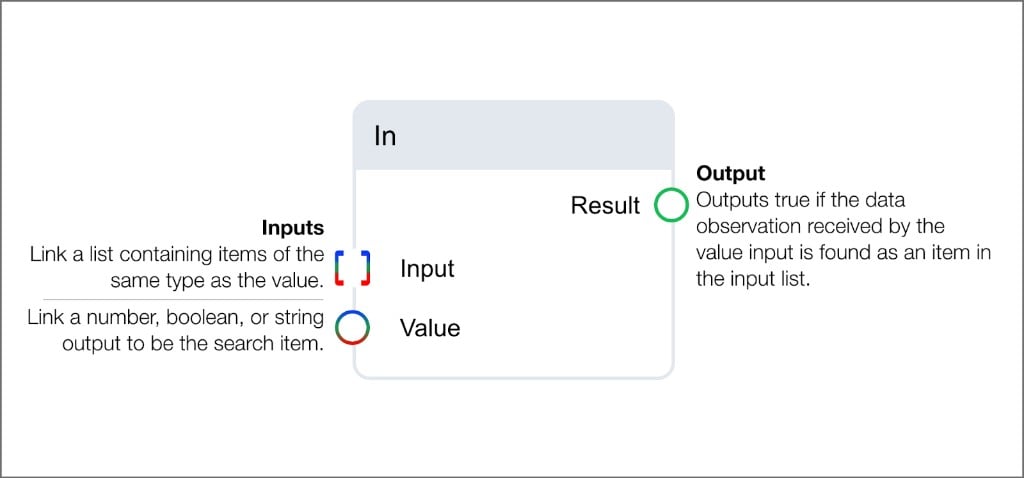
Timing and buffering blocks
Timing blocks
Timing blocks introduce delays and time windows into the detection logic. Each timing block accepts a time unit (seconds, minutes, or hours) and a count value that can be set as a static number or linked from another block’s output.Audit
Waits for the specified amount of time and outputs the last value received from the input.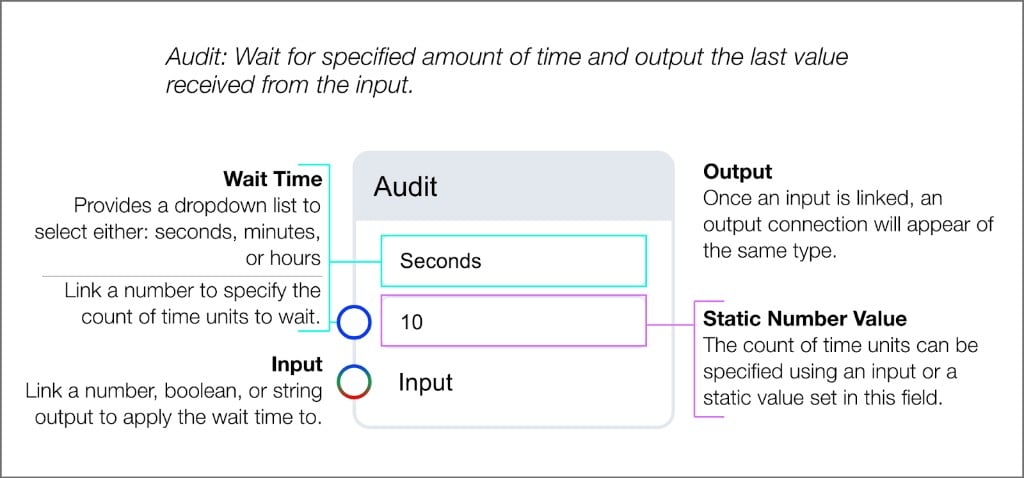
Debounce
Waits for the specified amount of time and outputs a value only if that value has been unchanged during that period.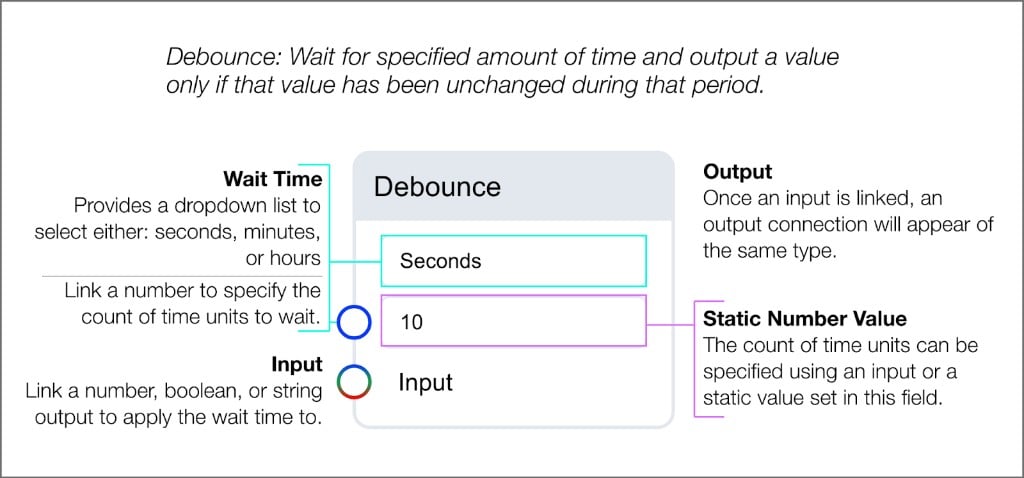
Buffer blocks
Buffer blocks collect data over a specified time window or count for use with array operations.Buffer Time
Collects values from the input into a list that is returned after the specified amount of time.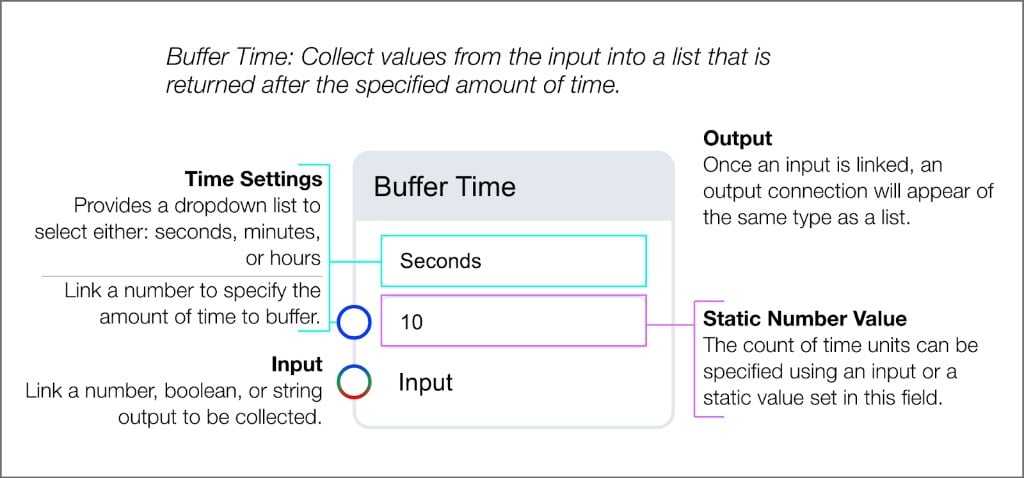
Buffer Count
Collects values from the input into a list that is returned when the count is satisfied.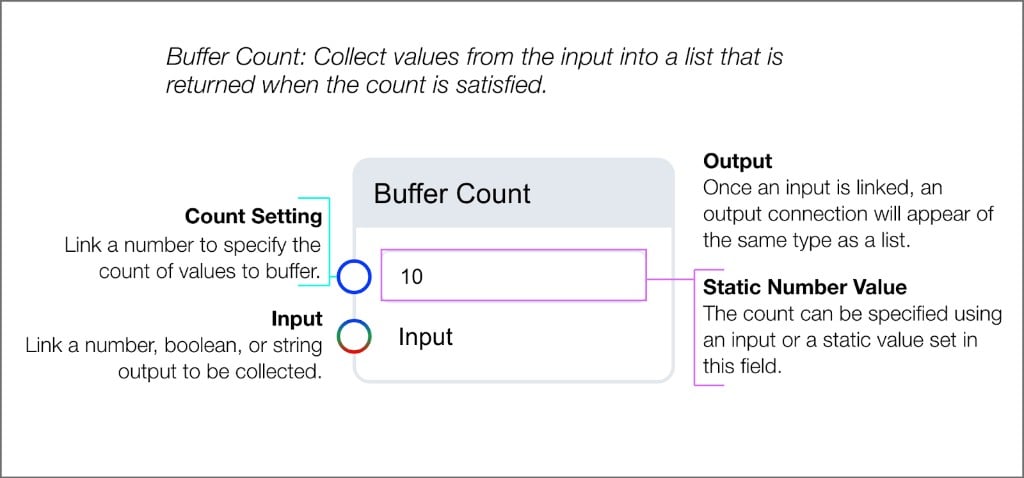
Alarm blocks
Every FDD routine must include and end with an Alarm Trigger block. When the Alarm Trigger receives a true boolean input, the system generates an event.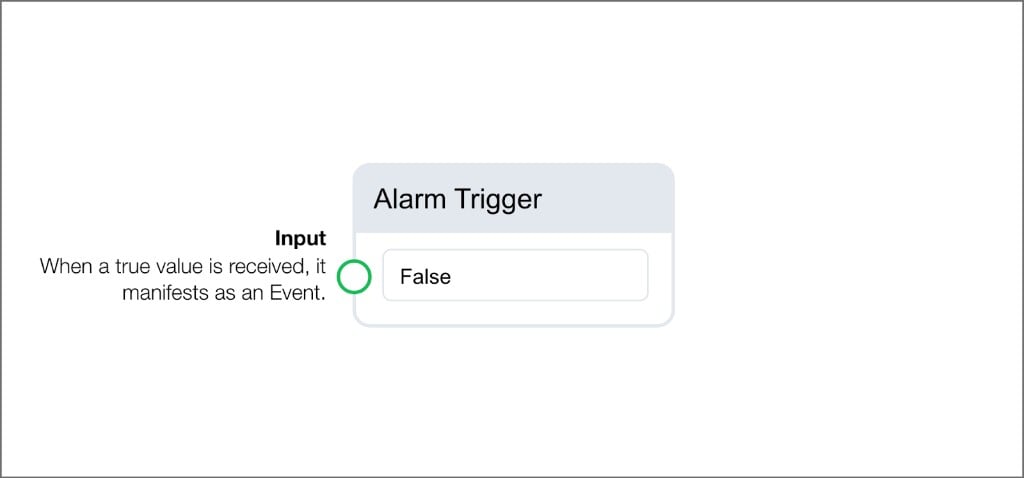
Next steps
Routines
Create, test, and manage routines using the logic builder and debugger.
FDD configuration
Apply routines to your devices and configure monitoring parameters.