

Core concepts
A fault is a period of time in which a specified condition is true on a specific device. Each fault has a start time, an affected device, a condition, and a duration.
A fault combines a start time, device, condition, and duration into a single record
Events
Events check multiple inputs across one or more devices. Each event carries an importance level and can serve as both an instantaneous indicator and a data point for analysis over time. Events alone can produce excessive output. Combine events with incidents and faults for actionable insight.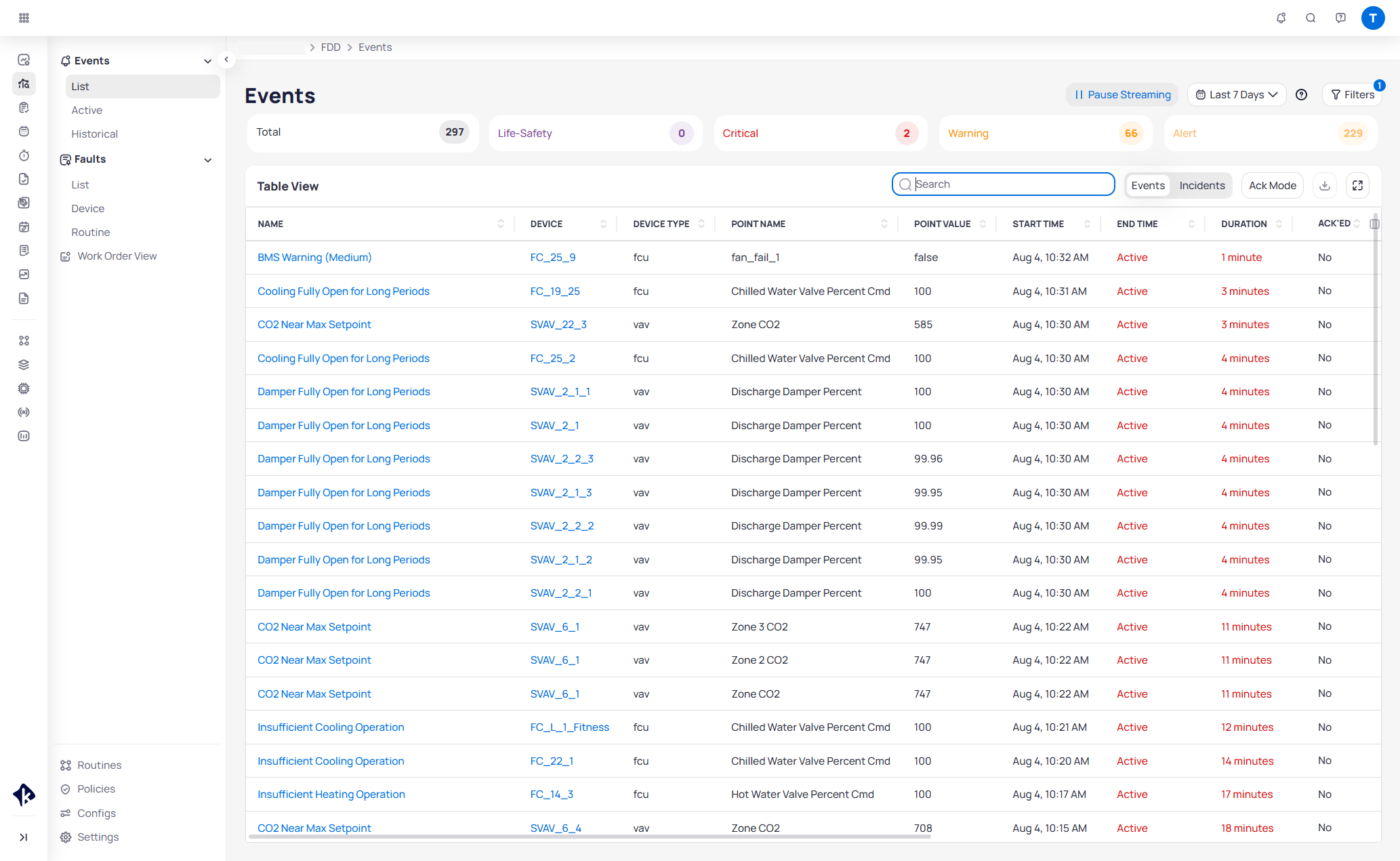
The Events list displays active fault events with filters, priority cards, and a sortable table
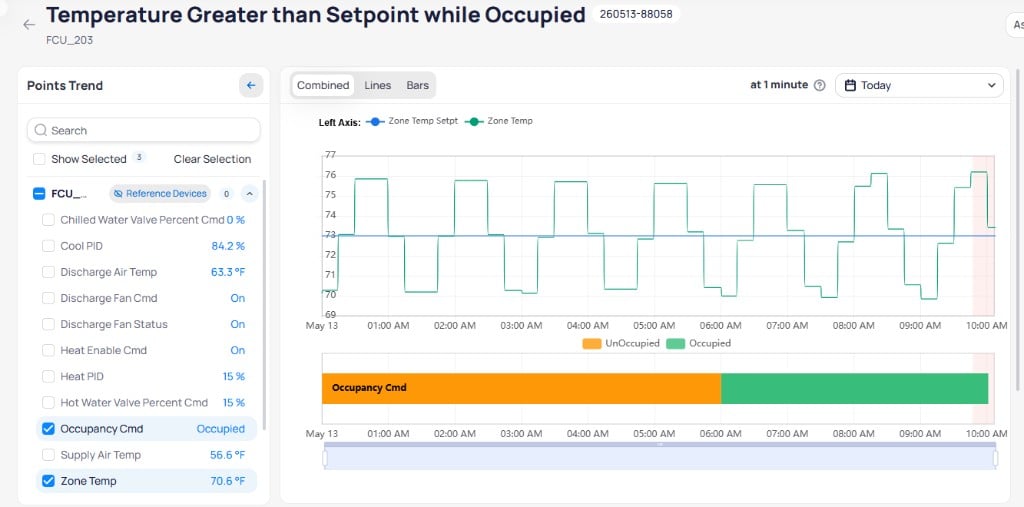
The event report shows device point trends with the fault period highlighted in red and a details sidebar
Incidents
Incidents sit at the highest level. FDD creates incidents by finding commonalities between event groups using . This method looks along relationships to identify related equipment. For example, if a cannot meet its setpoint, FDD checks the upstream and sibling VAVs to determine whether the issue is isolated or systemic. Grouping related events under a single incident reduces the number of individual issues you need to investigate.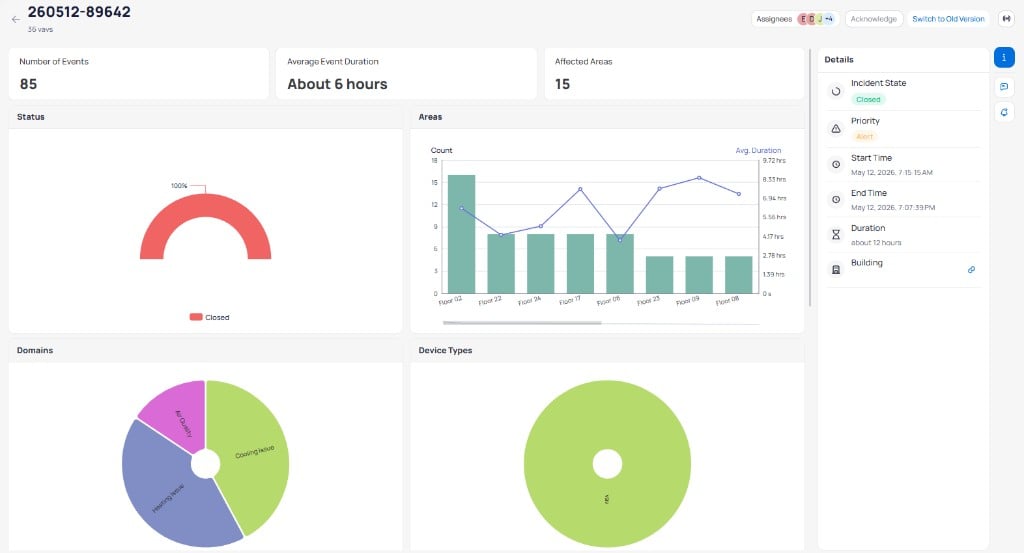
The incident report groups related events with summary metrics, area charts, and domain breakdowns
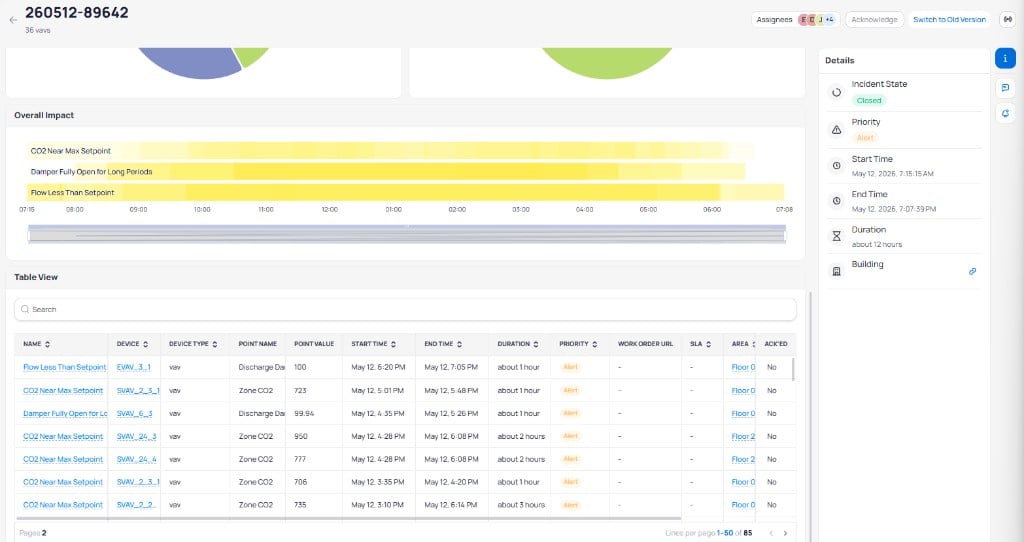
The Overall Impact timeline and events table show which routines and devices contributed to the incident
Reference Based Grouping does not achieve a 100% catch rate. Some fault patterns may not group into incidents automatically.
Faults
Faults capture long-term or recurring issues across your equipment. Use faults to monitor trends, triage recurring problems, and prioritize maintenance over time. Faults are not designed for instant alerts or root-cause analysis. They complement events and incidents by providing a broader view of equipment health across days, weeks, or months.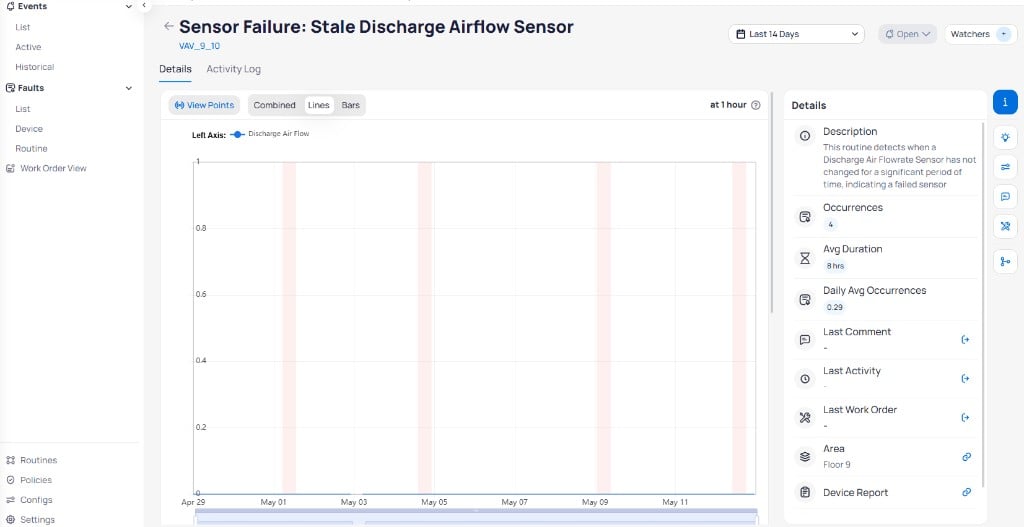
The fault report shows point trends over time with a details sidebar for tracking occurrences and duration
Priority levels
FDD assigns a priority level to each event, incident, and fault. The default configuration includes five levels:
Admins can customize priorities through the
Settings page in the FDD module. You can configure between three and five priority levels with custom names, descriptions, colors, and settings to match your organization’s triage workflow.
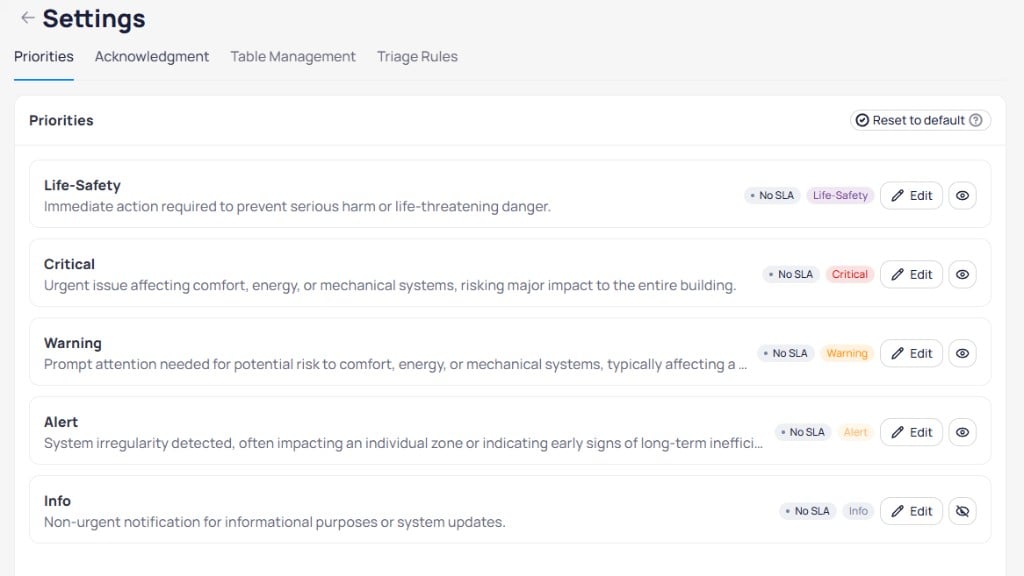
The Priorities settings page lets you customize priority levels with names, descriptions, SLA rules, and visibility
Next steps
Events
Monitor and investigate real-time fault events across your building equipment.
Configuration
Set up monitoring rules and thresholds for your equipment.
Dashboards
View building health at a glance with FDD dashboards.