Roll out FTT across a building: draft projects, calibrate parameters, and set production schedules in Cloud BMS.
Use this guide when you roll out FTT for operators and commissioning teams. It covers draft projects, small-scale calibration, client review, and production schedules.If you have not run a single test yet, complete What is Functional Testing? first. Confirm how scores are produced before you schedule building-wide work.
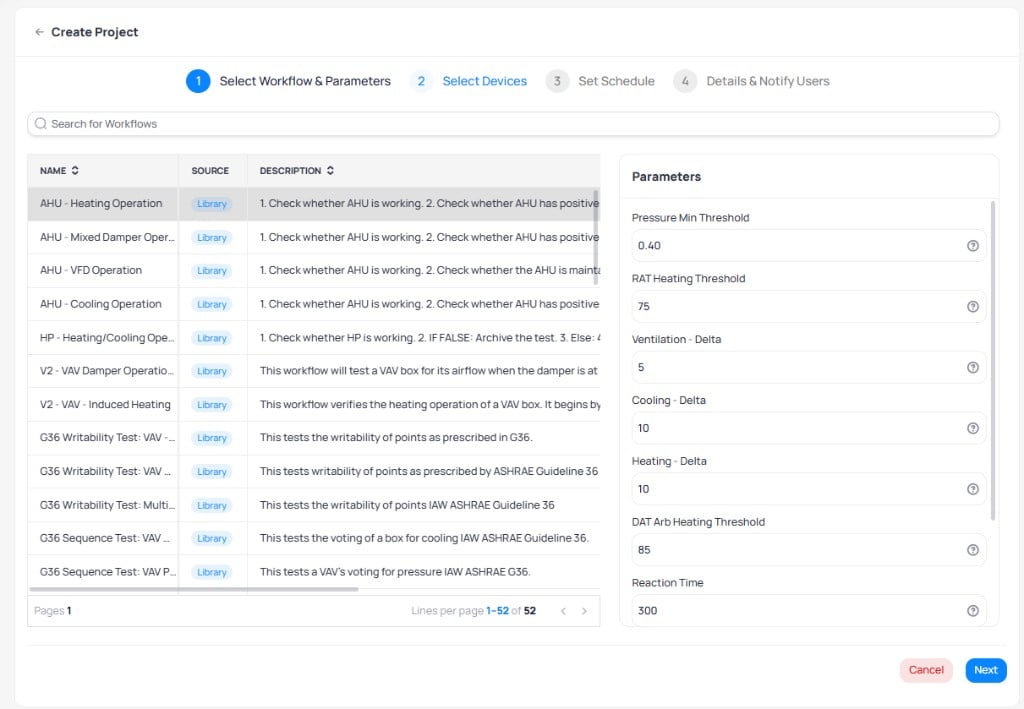
Create projects for each applicable workflow and save them as drafts. Select a workflow from the library and review its parameters before assigning devices.
Select a workflow from the library and review its default parameters
2
Review compatibility
Review the compatibility results for each project. Devices that lack required points or writable points appear as incompatible. Address templating or write-access issues before proceeding.
For each workflow, test five devices or one floor. The goal is to validate the following:
Points are writable
Equipment responds to commands
Parameters are adequately adjusted
At least 80% of tests pass or produce valid results
2
Tune parameters
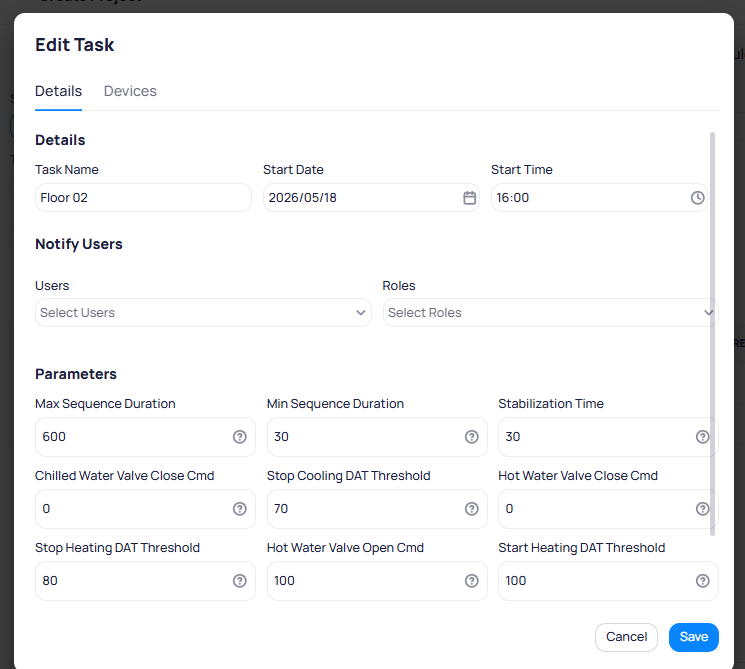
Adjust workflow parameters based on initial results. Common adjustments include increasing max sequence duration for slower equipment or modifying threshold multipliers for different equipment generations.
Edit individual task parameters to fine-tune thresholds for specific floors or equipment
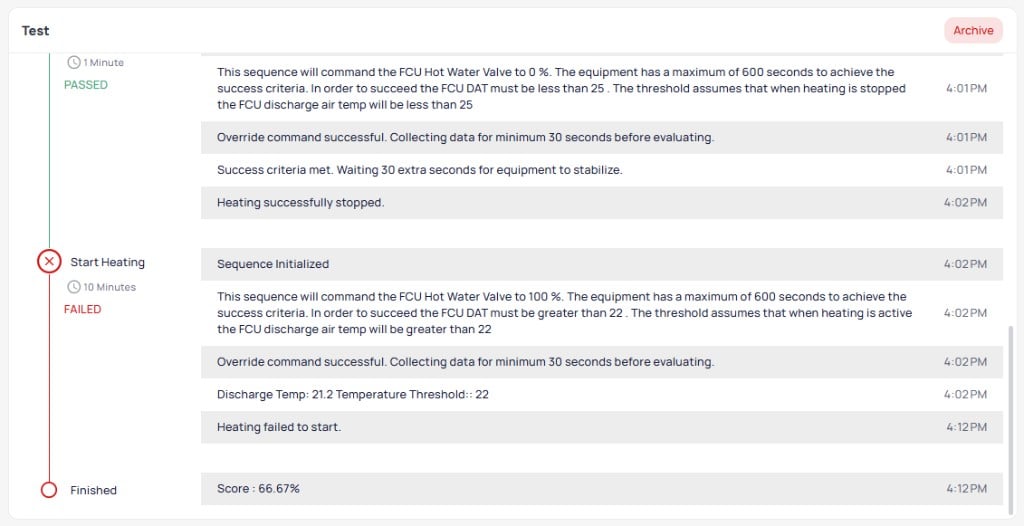
When a sequence fails, open the test report and compare the sensor reading to the threshold. See How to read a score. Retune only after you confirm the command wrote successfully.
3
Review results with the client
Present initial test results and discuss findings. The test detail report shows the step-by-step sequence with pass/fail indicators for each stage.
A completed test result showing passed and failed sequences with a final score
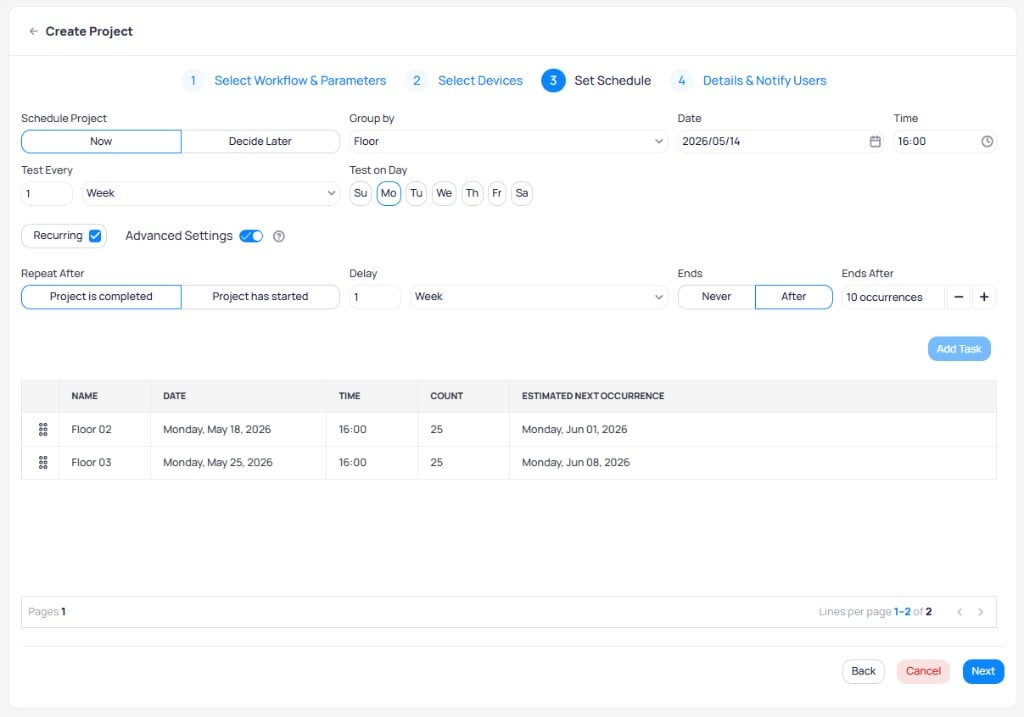
Use this opportunity to confirm the testing schedule and set expectations.