> ## Documentation Index
> Fetch the complete documentation index at: https://documentation.kodelabs.com/llms.txt
> Use this file to discover all available pages before exploring further.
# Draft mode and version history
> Learn how drafts, publishing, and version history let you edit Building BI dashboards without risking the live view.
Draft mode and version history keep dashboard edits safe. Drafts let you change a dashboard privately. Version history stores saved states so you can preview, rename, restore, or publish an earlier version.
Viewers keep seeing the last published dashboard until you publish. That separation is what makes experimentation safe.
## Draft mode
A draft is a private workspace layered over the live dashboard. Each dashboard has one active draft. Selecting `Edit Dashboard` opens that draft.
You can save the draft repeatedly without changing what viewers see. When the work is ready, select `Publish` to push it live.
In edit mode, use `Save as Draft` next to `Publish` in the top right. Confirm in the dialog to keep the changes private.
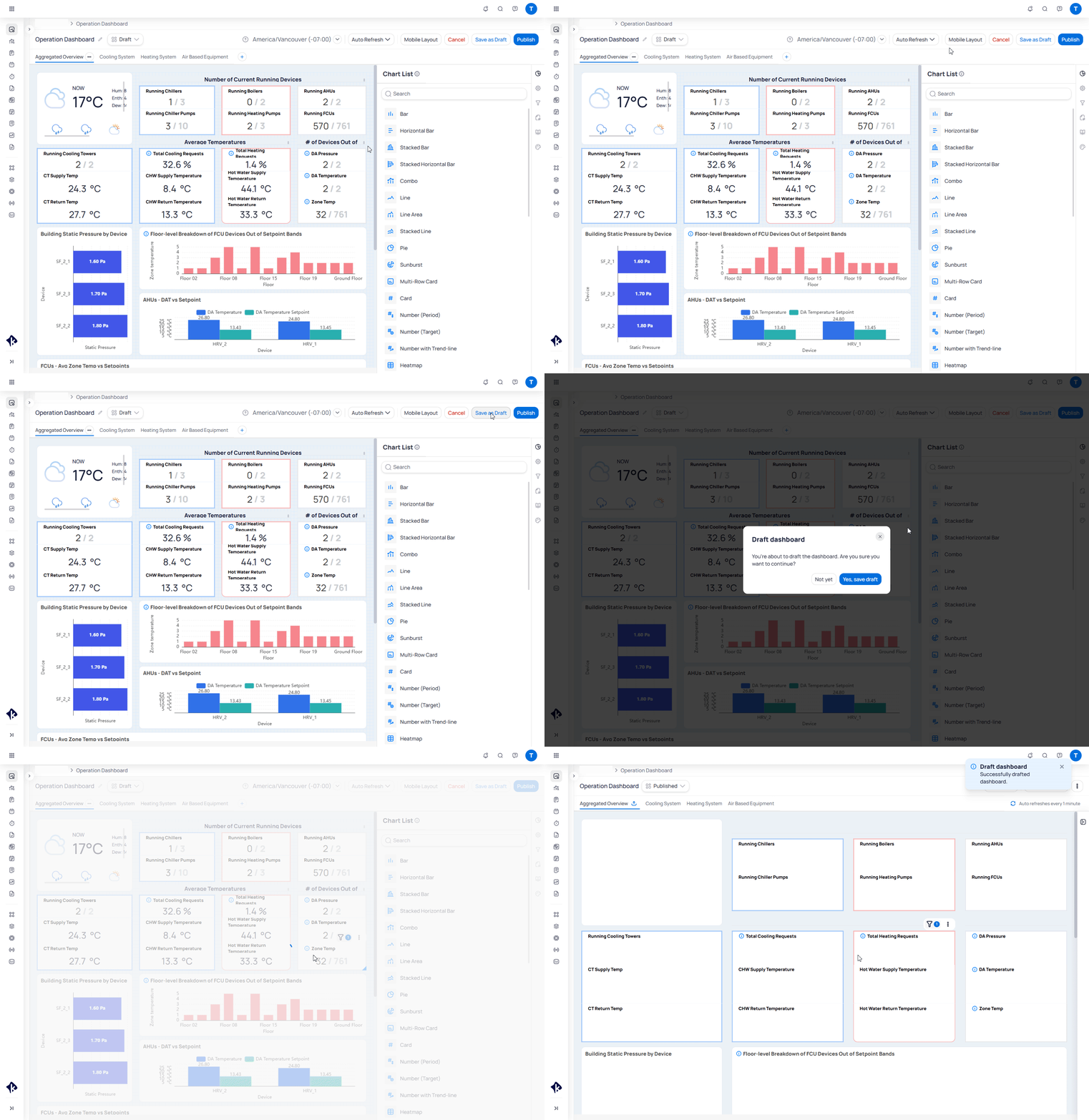 Drafts belong to the editor. Other users continue to see the published version until you publish. Only one draft version can exist at a time.
## Open version history
Version history is the timeline of saved dashboard states. Each entry includes a date, author, and optional name.
Open the three-dot menu on the dashboard and select `Version history`. History opens in a new tab.
Drafts belong to the editor. Other users continue to see the published version until you publish. Only one draft version can exist at a time.
## Open version history
Version history is the timeline of saved dashboard states. Each entry includes a date, author, and optional name.
Open the three-dot menu on the dashboard and select `Version history`. History opens in a new tab.
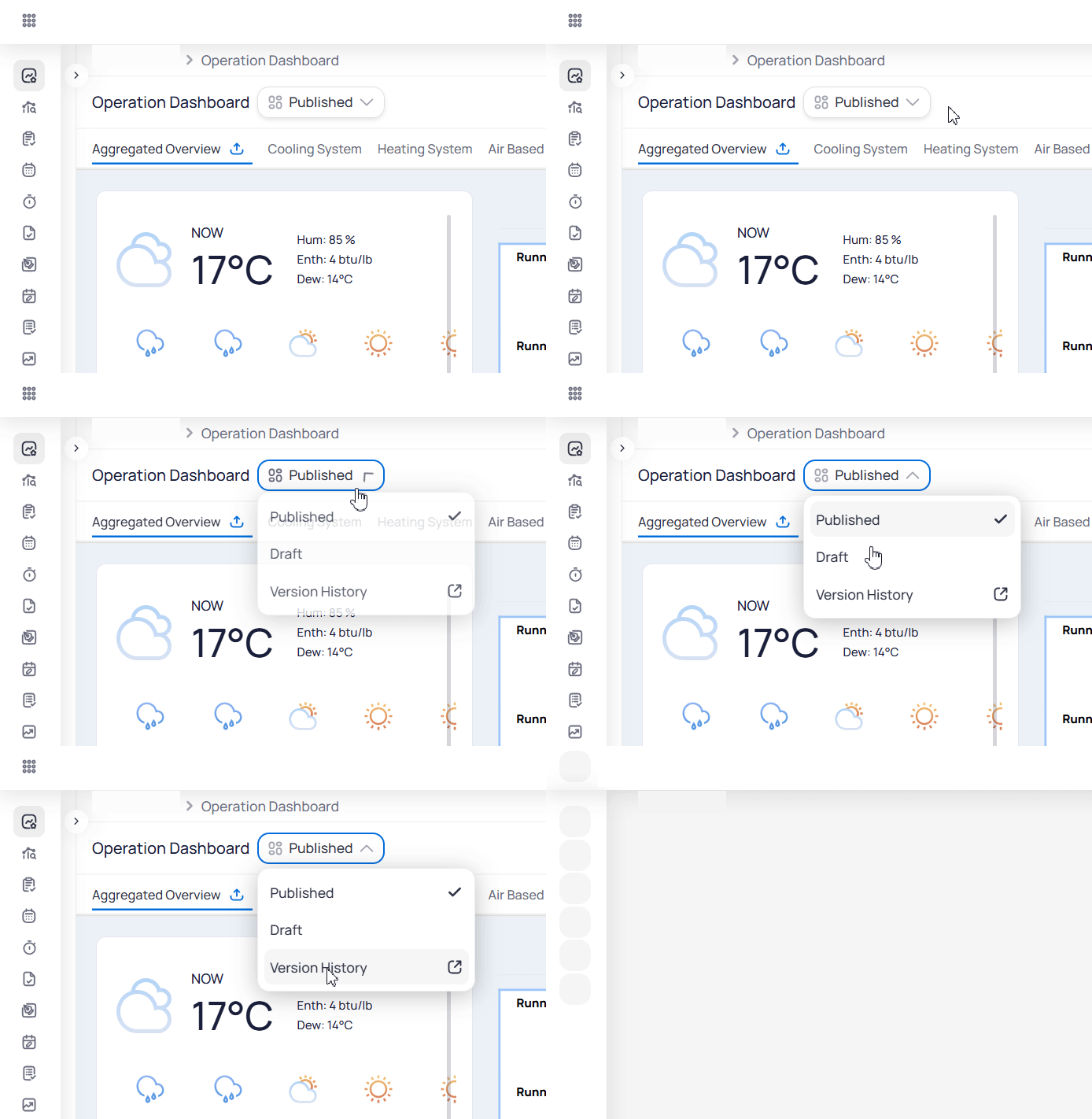 You can also open version history from the `Published` / `Draft` status dropdown next to the dashboard name.
## Browse and rename versions
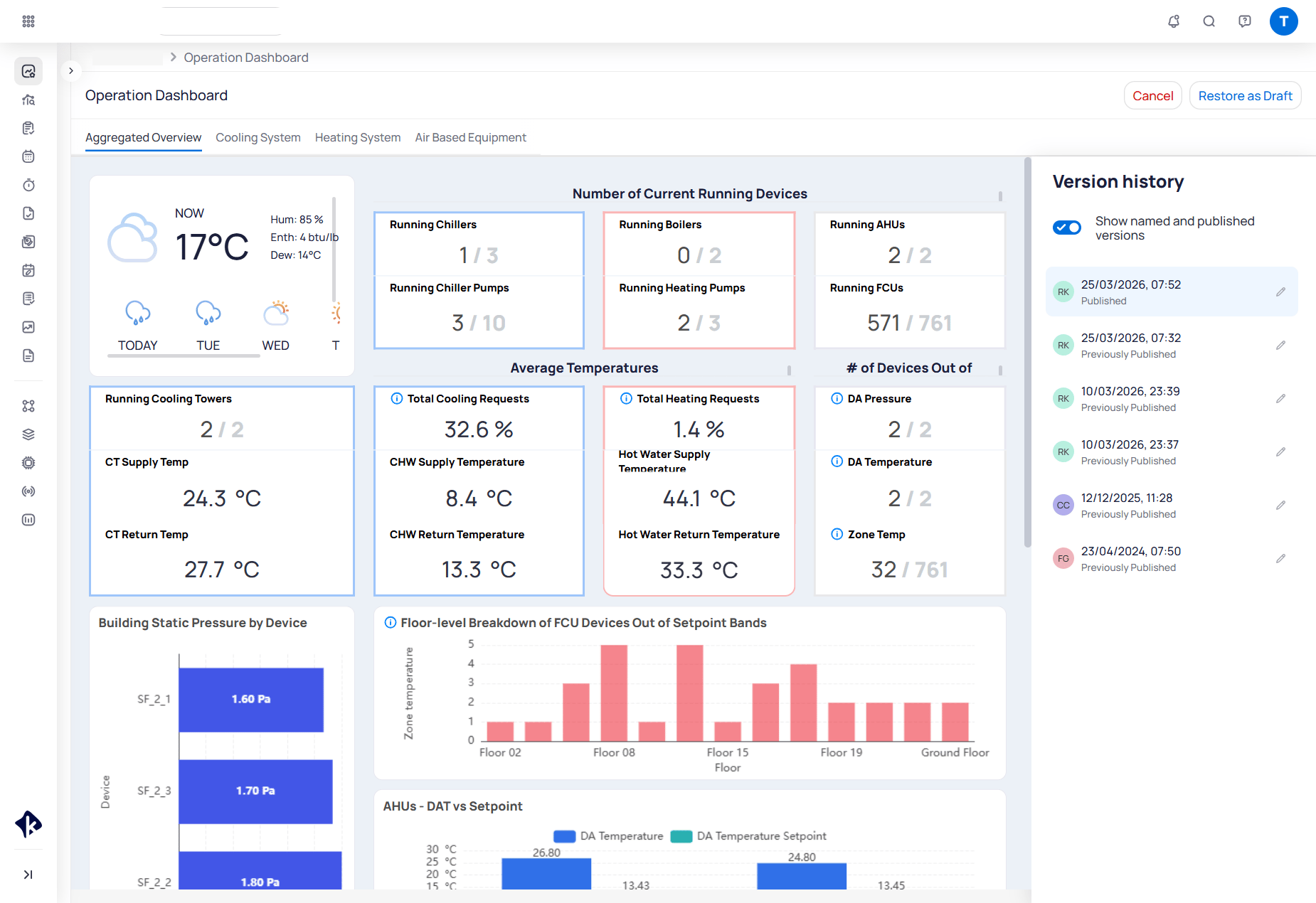
The version history view shows a read-only preview of the selected version on the left. The timeline sits on the right.
Use the list to move between versions. Status labels mark the current published version, earlier published versions, and saved drafts. Turn on `Show named and published versions` to focus the list.
Select the pencil icon on an entry to rename it. Clearing a custom name returns the entry to its timestamp label.
You can also open version history from the `Published` / `Draft` status dropdown next to the dashboard name.
## Browse and rename versions
The version history view shows a read-only preview of the selected version on the left. The timeline sits on the right.
Use the list to move between versions. Status labels mark the current published version, earlier published versions, and saved drafts. Turn on `Show named and published versions` to focus the list.
Select the pencil icon on an entry to rename it. Clearing a custom name returns the entry to its timestamp label.
 ## Restore or publish an earlier version
Select a version in the timeline to preview it. When a previous version is selected, you can:
* **Restore as Draft** — copy that version into a new private draft without changing the live dashboard
* **Publish** — make that version live immediately
## Restore or publish an earlier version
Select a version in the timeline to preview it. When a previous version is selected, you can:
* **Restore as Draft** — copy that version into a new private draft without changing the live dashboard
* **Publish** — make that version live immediately
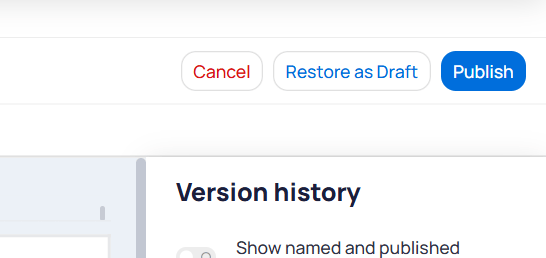 Restoring as a draft does not overwrite the published dashboard. Publishing the restored draft (or publishing directly from history) adds a new entry to the timeline.
Building BI keeps up to 20 published versions that you can restore. Neither collaborators nor owners can delete a version. Both roles can view history, edit the draft, publish, and restore. For how edit access is granted, see [How Building BI permissions work](/products/building-bi/concepts/how-permissions-work).
## Next steps
Follow the step-by-step draft, publish, and restore workflows.
Learn who can edit, publish, and restore dashboards.
Restoring as a draft does not overwrite the published dashboard. Publishing the restored draft (or publishing directly from history) adds a new entry to the timeline.
Building BI keeps up to 20 published versions that you can restore. Neither collaborators nor owners can delete a version. Both roles can view history, edit the draft, publish, and restore. For how edit access is granted, see [How Building BI permissions work](/products/building-bi/concepts/how-permissions-work).
## Next steps
Follow the step-by-step draft, publish, and restore workflows.
Learn who can edit, publish, and restore dashboards.